
Setting up Meta Conversions API for WooCommerce is no longer optional for stores serious about accurate ad tracking in 2026. CustomerLabs confirms that relying on the browser Pixel alone captures only 60 to 70 percent of conversions, while adding server side tracking raises match rates to 85 to 95 percent.
WooCommerce’s own guidance frames the shift plainly, noting that Meta Conversions API for WooCommerce lets advertisers share data directly from their server rather than through a browser, making campaigns less susceptible to ad blockers, browser crashes, and connectivity problems.
Table of Contents
ToggleWhy Meta Conversions API for WooCommerce Matters Now
Meta Conversions API for WooCommerce solves a problem the Pixel alone cannot fix on its own. Safari and Firefox block third party cookies by default, Apple’s App Tracking Transparency stops cross site tracking without consent, and ad blockers can prevent the Pixel script from loading at all.
Chrome will not deprecate third party cookies after Google’s confirmed reversal in 2025, but the browser blocking problem is the same size regardless, since Safari, Firefox, and ad blockers still apply fully. Meta Conversions API for WooCommerce sends the same event from the server, so whatever the browser misses still reaches Meta.
What Meta Conversions API for WooCommerce Tracks
A working setup should track five core events, namely Page View, Product View, Add to Cart, Initiate Checkout, and Purchase. Every retargeting audience and lookalike a store builds comes from these events, so a missing Add to Cart is an audience the store never got to advertise to at all.
WooCommerce’s official documentation confirms that with the Facebook for WooCommerce plugin, the same data flowing through both Pixel and Meta Conversions API for WooCommerce is deduplicated automatically based on a unique event ID, removing the risk of double counted purchases.
Official Plugin Setup Steps
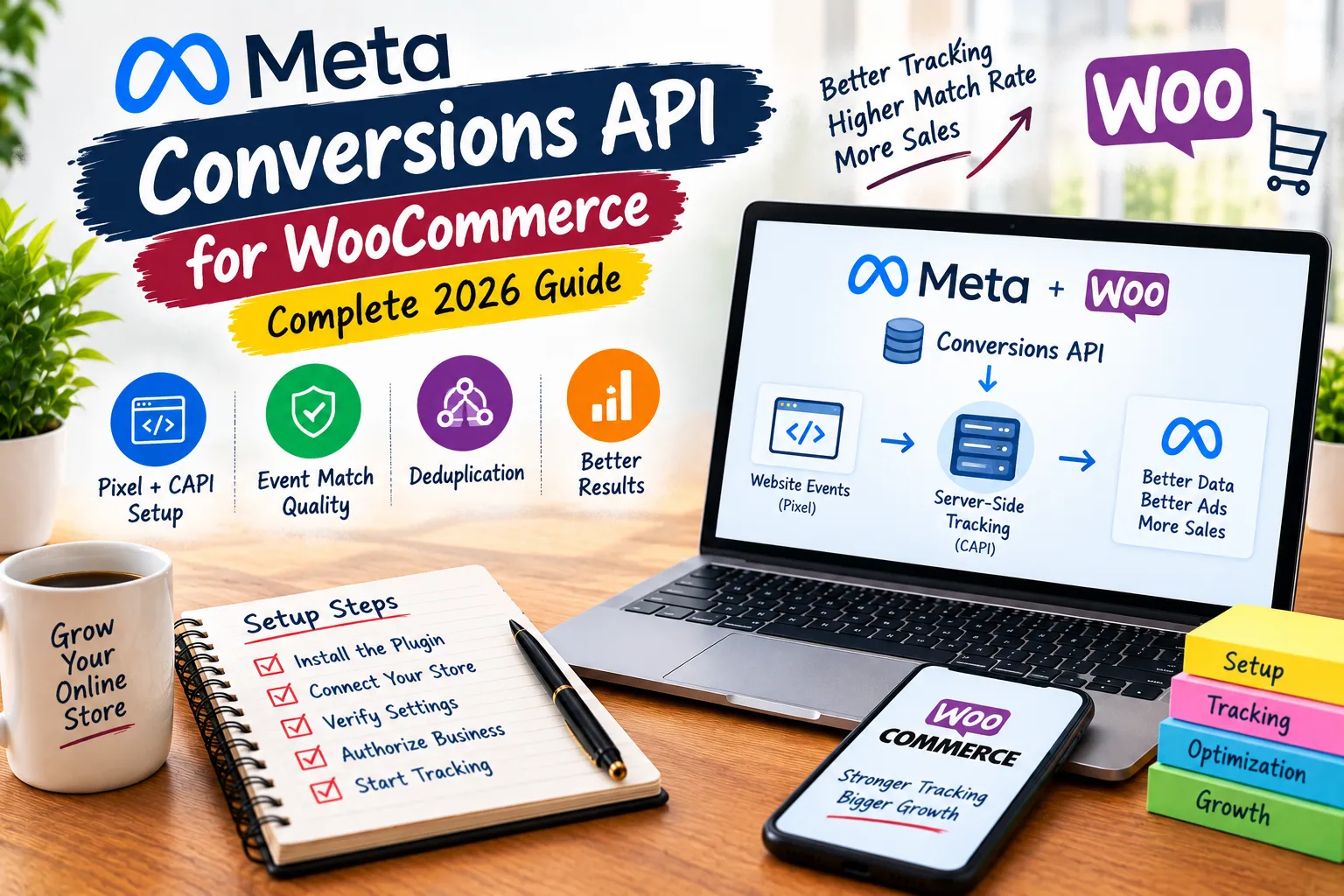
WooCommerce’s guide lists five steps for enabling Meta Conversions API for WooCommerce through the official plugin.
| Step | What to Do |
| Install the plugin | Go to Plugins then Add New, search Facebook for WooCommerce, install and activate |
| Start the connection | Go to Marketing then Facebook and click Get Started |
| Confirm settings | Click Continue and confirm the settings shown |
| Authorise the store | Select Manage your business to link WooCommerce with the Meta account |
| Finish | The store is connected and Conversions API benefits are active immediately |
Two WooCommerce Changes That Break Tracking Silently
CustomerLabs identifies two store level changes that quietly break Meta Conversions API for WooCommerce without throwing any visible error. High Performance Order Storage moved order data out of the old post tables and has been default for new installs since WooCommerce 8.2, so any plugin still reading orders the old way stops receiving data with no warning.
Blocks checkout is also default for new installs and renders the order received page differently, which can stop older tracking code from firing the Purchase event at all. Always run a real test purchase through the exact checkout flow live on the store and confirm the value and currency arrive correctly.
Improving Event Match Quality
Event Match Quality is Meta’s score for how confidently it can resolve an event to a real person, and most WooCommerce stores never check it. CustomerLabs confirms that plugin only setups typically fall short of a 9.3 score on Purchase, with custom audience match rates often below 75 percent.
Mapping email, phone, external ID, and hashed identifiers alongside Meta Conversions API for WooCommerce lifts match rates to roughly 70 to 95 percent. Working targets are Purchase above 8.0, Add to Cart and Initiate Checkout above 7.0, and Page View above 6.0, since most page views arrive anonymous by nature.
Deduplication Stops Double Counted Purchases
Both the Pixel and Meta Conversions API for WooCommerce genuinely send the same purchase, and deduplication is what stops that purchase being counted twice. Meta matches on event name and a shared event ID arriving within 48 hours, and drops the duplicate copy automatically.
Get this wrong and reported ROAS inflates dramatically, since 400 real orders reported as 800 turns a true return of 4.0 into a false 8.0. The fastest check is comparing the deduplicated Purchase count in Events Manager against the real WooCommerce order count for the same period.
Common Issues With Meta Conversions API for WooCommerce
CustomerLabs lists the most frequent symptoms stores encounter and their fixes, covering the Pixel not firing on key pages, events firing without proper values, nothing tracking despite a correct looking setup, and events being attributed to the wrong campaign.
The first fix in every case is testing in a browser with no extensions installed, then confirming the server side toggle is active. If tracking still fails in both browser and server modes, deactivate other tracking plugins one at a time, since two integrations sending the same event is the single most common cause of inflated numbers.
What Accurate Tracking Actually Unlocks
The commercial case for Meta Conversions API for WooCommerce becomes concrete once real measurement is in place. CustomerLabs reports specific results measured across their own implementations, summarised in the table below.
| Metric | Result |
| Return on ad spend | 2.1x increase measured across implementations |
| Content views tracked | 2.4x increase in accurately captured views |
| Cost per purchase | 2.8x reduction once tracking was corrected |
| Custom audience match rate | Improved past 80 percent from a 15 to 30 percent baseline |
| Cart abandonment recoverable | Average 70.22 percent, the largest recoverable segment most stores have |
Conclusion
Getting Meta Conversions API for WooCommerce live is only the first step. WooCommerce’s official plugin makes the basic connection quick, often just a few clicks through the Marketing menu.
What separates a working setup from a genuinely good one is mapping enough customer identifiers so Meta can actually use the events, confirming deduplication is active so reported numbers stay true, and testing every checkout path live after any theme or plugin change.
Start by installing the official plugin this week. Run a real test purchase. Check the Event Match Quality score in Events Manager, and fix the gaps before scaling any campaign budget.
How Dizispark Can Help
Dizispark is a Delhi based Meta Ads and WooCommerce agency that sets up complete Meta Conversions API for WooCommerce tracking, covering plugin installation, event mapping, deduplication checks, and Event Match Quality improvements for every store we manage.
We also manage a fully optimized Google My Business Profile alongside every Meta and Google campaign we run, strengthening the trust signals that support conversion tracking across every channel your store advertises on.
Reach out to Dizispark today and let our team verify your WooCommerce tracking is complete, deduplicated, and ready to scale.
Frequently Asked Questions
Does Meta Conversions API replace the Pixel on WooCommerce?
No, Customer Labs confirms both should run together and deduplicated. The Pixel captures browser signals including the click ID, while Conversions API guarantees delivery even when the browser is blocked. Running both from one system, matched on a shared event ID, is what keeps reported numbers accurate.
How do I install Meta Conversions API for WooCommerce?
The official route is the Facebook for WooCommerce plugin. Install it from the Plugins menu, go to Marketing then Facebook, click Get Started, confirm the settings, and authorize the connection by selecting Manage your business. WooCommerce confirms this takes just a few clicks once the plugin is active.
What is a good Event Match Quality score for WooCommerce?
Customer Labs sets working targets of 8.0 or higher on Purchase, 7.0 or higher on Add to Cart and Initiate Checkout, and 6.0 or higher on Page View. Plugin only setups without mapped identifiers typically fall short of these numbers, often landing well below a 9.3 Purchase score.
Why are my WooCommerce purchases showing double in Meta?
Double counted purchases almost always mean deduplication is failing. This happens when the Pixel and Conversions API generate different event IDs for the same order, usually because two separate plugins are firing each channel independently instead of one system sending both with a matching ID.
Does High Performance Order Storage affect Meta Conversions API tracking?
Yes. Customer Labs confirms HPOS has been default for new WooCommerce installs since version 8.2, and any plugin reading order data the old way can silently stop receiving values with no error shown. Always confirm whether HPOS is active and test a real purchase through the live checkout flow.
What events should Meta Conversions API track on WooCommerce?
The five core events are Page View, Product View, Add to Cart, Initiate Checkout, and Purchase. Every retargeting audience and lookalike a store can build depends on these events firing correctly, so a missing Add to Cart quietly removes an entire audience segment from future campaigns.
Is Meta Conversions API for WooCommerce free to set up?
Yes, the official Facebook for WooCommerce plugin connection is free and comes at no additional cost according to Meta’s own commerce platform guidance. Third party tools that add identity resolution and first party data features on top may carry separate pricing, but the base plugin integration itself is free.
How do I check if Conversions API is actually working on WooCommerce?
Open Events Manager, go to Test Events, then view a product, add it to cart, and complete a test purchase. Each event should appear twice, labelled Browser and Server. Seeing both confirms Meta Conversions API for WooCommerce is live and sending data alongside the Pixel correctly.