
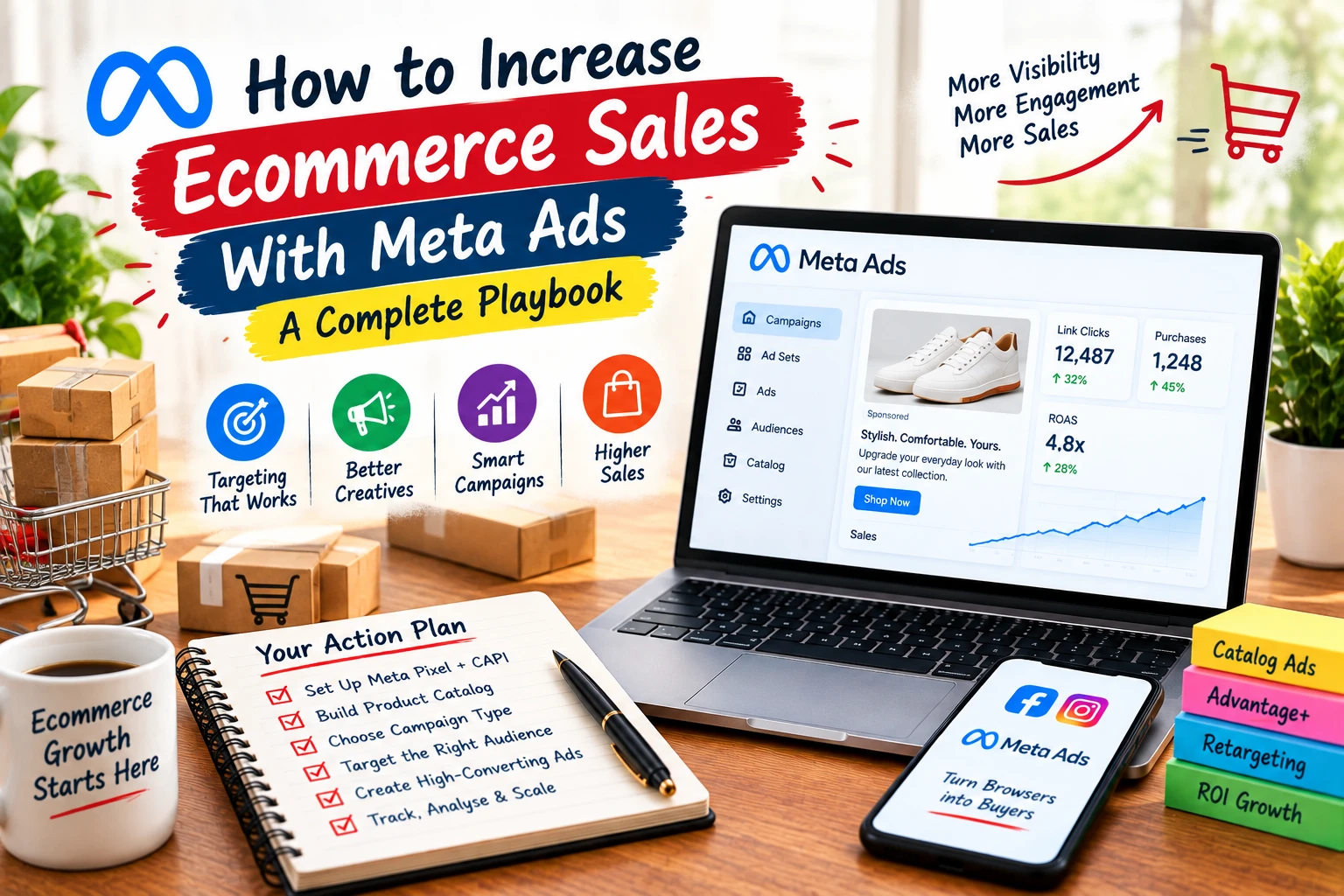
Spending money on Facebook and Instagram ads is easy. Turning that spend into consistent, profitable sales is where most ecommerce brands get stuck. The gap between the two usually comes down to a handful of fixable setups, targeting, and creative mistakes. This guide walks through how to increase ecommerce sales with Meta Ads step by step, from the tracking foundation that everything else depends on, through campaign structure, targeting, budget, and creative, all the way to troubleshooting when results stall.
Table of Contents
ToggleWhy Meta Ads Still Works for Ecommerce
Meta’s advertising network reaches Facebook, Instagram, WhatsApp, and a wide range of partner apps and sites, giving ecommerce brands access to one of the largest audiences online. That scale, combined with AI-driven targeting, is why it remains a mainstay for online stores.
Compared to some other paid channels, it’s often more cost-efficient while still supporting a full range of goals: driving traffic, building brand awareness, growing an email list, and generating direct sales. For most ecommerce brands, sales is the objective that matters most, and it’s the one this guide focuses on.
Get Your Tracking Foundation Right First
Before touching campaign structure or creative, the Meta Pixel and Conversions API need to be properly installed. Without at least one of them active, campaigns will struggle to optimize toward sales at all. The Pixel lives on your website, while the Conversions API sends data server-side, which makes tracking more resilient to browser restrictions and ad blockers. Running both together gives Meta the clearest possible signal about which campaigns, ad sets, and ads are actually driving purchases.
This data does more than fill out reports. It’s what lets Meta build custom audiences for retargeting, including people who viewed products or abandoned a cart, and it directly feeds the algorithm that decides who sees your ads next. Turning on advanced matching alongside the Conversions API helps ensure user data passes through as completely as possible. It’s worth checking your setup periodically with Meta’s Pixel Helper browser tool to confirm events are actually firing correctly.
Build and Connect Your Product Catalog
Once tracking is in place, the next foundation piece is your product catalog. This can be uploaded through a data feed, a partner platform integration, the Pixel itself, or Meta’s batch API for stores with very large inventories. Your catalog should include complete product details, description, materials, dimensions, and pricing, since incomplete data limits how well Meta’s systems can match products to the right shoppers. Supplementary feeds can add even richer information layered on top of your base catalog, like shipping weight or pattern details.
With a catalog connected, dynamic product ads become available, automatically showing the products a given shopper is most likely to buy. Setting up product sets for bestsellers, new arrivals, and on-sale items first gives you a useful performance baseline before testing more specific segments.
One caveat worth knowing: stores with ten or fewer products often don’t have enough catalog variety for dynamic ads to optimize well. In that case, other ad formats that don’t depend on a full catalog tend to perform better until inventory grows.
Choosing the Right Campaign Type
Meta currently offers six campaign objectives, but ecommerce brands focused on revenue should build around the Sales objective specifically, optimizing at the ad set level for purchases rather than a softer goal like traffic or engagement.
Within Sales campaigns, the biggest decision is Advantage+ Shopping Campaigns versus a manual setup. Advantage+ uses Meta’s AI to automate delivery toward people most likely to buy, while manual campaigns give you direct control over budget, placements, and targeting at the ad set level.
Meta has reported roughly a 17 percent average improvement in cost per acquisition from Advantage+ Shopping Campaigns compared to manual setups. Many advertisers running both have also seen a lift in return on ad spend alongside more total sales, which is why this format has become the default starting point for most ecommerce accounts.
Manual campaigns still have a place, especially for advertisers who want more granular control or are just starting out with a smaller daily budget. Learning how manual targeting works also makes it easier to understand what Meta’s automated systems are actually optimizing for.
Structuring Your Ad Account Correctly
Poor account structure quietly wastes budget by creating internal competition. Two ad sets targeting overlapping audiences, for example one aimed at women in a city and another at men in the same city, will bid against each other rather than expanding reach.
A cleaner structure keeps similar products under one campaign, using separate ad creatives or product sets within it rather than duplicating entire campaigns. New, genuinely distinct ad sets are reserved for cases where targeting is meaningfully different, and Meta’s audience overlap tool is worth checking regularly to catch unintended conflicts.
Pausing individual ads rather than whole ad sets or campaigns matters more than most advertisers realize. Turning off a performing ad set instead of a specific underperforming ad can knock the entire campaign back into a learning phase, resetting the optimization Meta has already built up.
Keeping a manageable number of active ads per ad set, generally no more than six, also simplifies management. When testing new creative, duplicating an existing ad set and swapping in new assets tends to preserve performance data better than starting completely fresh.
Targeting: Advantage+ Audiences vs. Manual Targeting
Meta’s Advantage+ audiences use AI to find likely buyers, expanding out from an initial audience suggestion rather than relying purely on manually selected interests and demographics. Many advertisers have seen stronger results here than with traditional interest-based targeting alone.
A useful starting point is testing two simple custom audiences: people who engaged with your Facebook posts or ads over the last 90 to 365 days, and the same for Instagram. These tend to perform well because Meta already has meaningful signal about how these people interact with your brand.
Manual targeting hasn’t disappeared, but its precision has narrowed over the years due to privacy changes and platform shifts. Avoiding overly narrow, stacked interest combinations helps prevent audience fragmentation, where similar ad sets end up competing against each other for the same people.
Excluding recent purchasers and cart-abandoners from prospecting campaigns, while specifically including them in retargeting ad sets, keeps each part of your funnel focused on the right stage of the buyer journey rather than showing the same message to everyone.
Budget and Bid Strategy for Scaling Sales
A simple way to set an initial budget is working backward from your minimum order value and estimated daily purchases. If your lowest-priced product is $10 and you expect roughly 10 daily purchases at that budget level, that points toward a starting daily spend in that range.
Scaling should happen gradually rather than in large jumps. Reviewing ad sets every few days, increasing budgets modestly on top performers and trimming underperformers, tends to protect the learning phase far better than doubling spend overnight.
Return on ad spend matters, but it shouldn’t be treated as the only metric that counts. Factoring in profit margin, cost of goods, and customer lifetime value gives a much more accurate picture of what you can actually afford to spend to acquire a sale profitably.
Rather than chasing a higher ROAS number directly, many successful ecommerce advertisers focus on increasing average order value instead, through bundling, subscriptions, or free shipping thresholds. A more profitable order makes the same ROAS figure worth considerably more.
Creative That Actually Converts
Ad copy across the headline, primary text, and description should stay concise and lead with the value or benefit to the shopper, not just a product description. A clear call to action, paired with any relevant offer like free shipping or a limited-time discount, tends to outperform generic copy.
Images should keep the product as the clear visual focus, using bright, bold elements that stand out against Facebook and Instagram’s typically light or dark backgrounds. Distracting backgrounds or unrelated visual elements pull attention away from the product and tend to reduce conversion.
Video performs especially well, and the first three seconds matter more than the rest of the ad combined. Showing the product immediately, adding overlay text, and opening with a genuine hook keeps people watching instead of scrolling past.
Creative fatigue is real, and testing multiple hooks, formats, and angles against each other is the most reliable way to keep performance from declining over time. Producing both a square and a vertical version of each asset also ensures ads display well across every placement, from feed to Stories and Reels.
How to Increase Ecommerce Sales With Meta Ads Through Retargeting
Cold traffic rarely converts on the first impression, which is why sequencing ads to move someone from awareness to purchase tends to outperform a single static campaign. A broad, engagement-focused ad often works better as a first touchpoint than an immediate hard sell.
Once someone has engaged, whether through a click, a video view, or an add to cart, showing a more specific follow-up ad, often featuring the same product with added social proof or an incentive, moves them further down the funnel. Excluding recent purchasers from these ad sets keeps the messaging relevant.
Custom audiences built from cart abandoners and checkout-initiators are especially valuable here, since these are shoppers who were close to converting already. A welcome-back offer or a reminder ad, timed appropriately after the abandonment, recovers a meaningful share of otherwise lost sales.
Real-World Results: What a Well-Run Campaign Can Achieve
A documented case involving a skincare and beauty ecommerce brand operating across two Southeast Asian markets illustrates what a properly structured Meta Ads strategy can deliver. The brand combined precise demographic and interest targeting with video-led creative and automatic bidding across conversions, video view, and traffic objectives.
Over the campaign period, audience reach grew by more than 116 percent, expanding exposure to over 2.6 million people in a single month. Total clicks rose by nearly 186 percent, showing that the growth in reach translated into real engagement rather than just impressions.
Return on ad spend held at just over 8x throughout the campaign, demonstrating that scaling reach and clicks didn’t come at the cost of efficiency. Results like this aren’t guaranteed for every account, but they show the ceiling that’s possible when targeting, creative, and optimization are all aligned toward the same goal.
Common Reasons Meta Ads Aren’t Converting
When a campaign is getting traffic but not sales, the cause is usually traceable to one of a handful of common issues rather than something mysterious.
Add-to-carts without checkouts often means the product page doesn’t match what the ad showed, in image, size, or variant, especially in dynamic product campaigns pulling directly from a catalog. Checking that alignment is the first troubleshooting step.
Checkouts started but not completed frequently comes down to trust or missing incentive at the final step. Retargeting with a stronger offer, and reinforcing return policy or guarantee messaging right at checkout, often recovers some of this drop-off.
Traffic with no sales at all is worth investigating through a simple lens: how many clicks does it take to reach checkout. If that number is high, streamlining the path, including express checkout options earlier in the journey, usually helps more than adjusting targeting.
No repeat purchases points to a different problem entirely, one that ad targeting alone can’t fix. A loyalty program, personalized product recommendations, and periodic exclusive offers to past purchasers tend to move this number more than any campaign-level change.
Conclusion
Learning how to increase ecommerce sales with Meta Ads starts with getting the fundamentals right: accurate tracking through the Pixel and Conversions API, a complete product catalog, a sales-focused campaign structure, and creative that actually stops the scroll.
Advantage+ campaigns and AI-driven audiences have made automation the sensible default for most stores, but understanding manual targeting and account structure still matters for diagnosing problems when performance dips. Treat budget scaling gradually, watch profitability metrics beyond ROAS alone, and revisit creative regularly, since even a winning ad eventually fatigues.
How Dizispark Can Help
Dizispark builds Meta Ads campaigns for ecommerce brands around this same sequence: tracking setup verified first, catalog and product feed optimized second, then campaign structure, targeting, and creative built to match the brand’s actual margins and average order value rather than a generic template.
For brands with a physical storefront alongside their online store, Dizispark also keeps GMB aligned with paid campaign messaging, since local search and social advertising often influence the same buyer at different points in their journey. Every account is scoped around the client’s actual catalog size, price points, and sales cycle rather than a one-size-fits-all playbook.
Frequently Asked Questions
How to increase ecommerce sales with Meta Ads?
If you want to know how to increase ecommerce sales with Meta Ads, start with accurate tracking. To increase ecommerce sales with Meta Ads, set up the Meta Pixel and Conversions API, build a complete product catalog, and optimize campaigns for purchases. This supports how to increase ecommerce sales with Meta Ads without relying on one tactic alone.
How to increase ecommerce sales with Meta Ads for a small ecommerce store?
Small stores can learn how to increase ecommerce sales with Meta Ads by focusing on strong creative and a clear product offer. The best way to increase ecommerce sales with Meta Ads is to test focused campaigns before increasing the budget. This supports how to increase ecommerce sales with Meta Ads without relying on one tactic alone.
How to increase ecommerce sales with Meta Ads using retargeting?
Retargeting is an important part of how to increase ecommerce sales with Meta Ads because it reaches people who already viewed products or added items to their cart. If you want to increase ecommerce sales with Meta Ads, use cart abandoners and product viewers in relevant retargeting audiences. This supports how to increase ecommerce sales with Meta Ads without relying on one tactic alone.
How to increase ecommerce sales with Meta Ads using the Meta Pixel?
The Meta Pixel helps you understand how to increase ecommerce sales with Meta Ads by tracking actions such as product views, add-to-carts, and purchases. To increase ecommerce sales with Meta Ads, combine Pixel tracking with Conversions API where appropriate. This supports how to increase ecommerce sales with Meta Ads without relying on one tactic alone.
How to increase ecommerce sales with Meta Ads on a limited budget?
A limited budget does not prevent you from learning how to increase ecommerce sales with Meta Ads. To increase ecommerce sales with Meta Ads on a limited budget, start with a manageable campaign, monitor profitability, and scale gradually when performance supports it. This supports how to increase ecommerce sales with Meta Ads without relying on one tactic alone.
How to increase ecommerce sales with Meta Ads through better creative?
Creative is central to how to increase ecommerce sales with Meta Ads because the ad needs to capture attention and communicate the product benefit quickly. To increase ecommerce sales with Meta Ads, test different hooks, formats, offers, and product-focused visuals. This supports how to increase ecommerce sales with Meta Ads without relying on one tactic alone.
How to increase ecommerce sales with Meta Ads using Advantage+ campaigns?
Advantage+ campaigns can be part of a strategy for how to increase ecommerce sales with Meta Ads by using Meta’s automated delivery and optimization. To increase ecommerce sales with Meta Ads, test Advantage+ alongside an appropriate campaign structure and evaluate actual purchase performance. This supports how to increase ecommerce sales with Meta Ads without relying on one tactic alone.
How to increase ecommerce sales with Meta Ads when ads get clicks but no sales?
If you are trying to learn how to increase ecommerce sales with Meta Ads but receive clicks without purchases, check the product page and checkout experience first. To increase ecommerce sales with Meta Ads, make sure the landing page matches the ad, the checkout is simple, and trust signals are clear. This supports how to increase ecommerce sales with Meta Ads without relying on one tactic alone.