
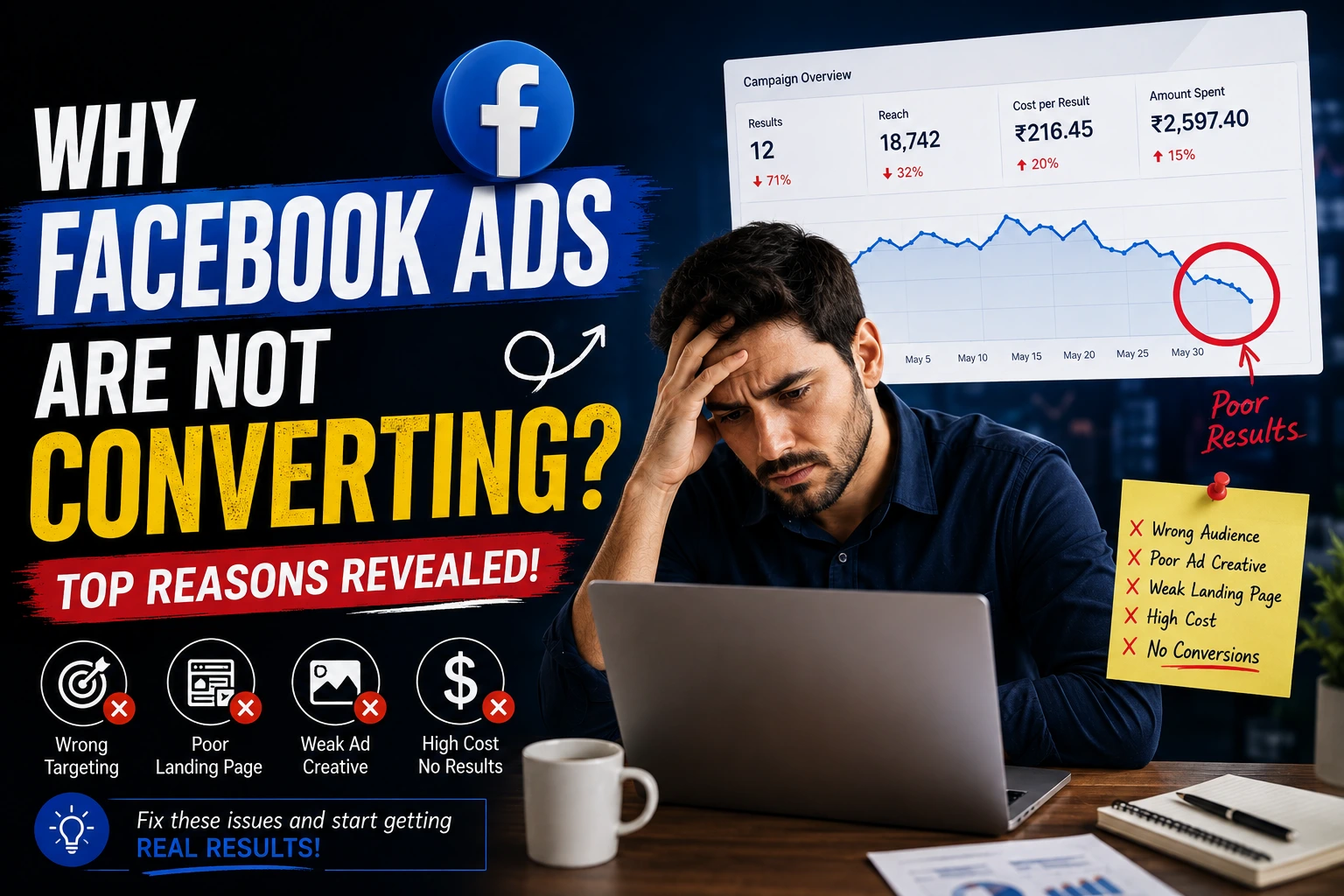
Your Facebook ads are running. Money is going out every day. Clicks are coming in. But when you check the results, conversions are almost zero, or worse, just a few, at a cost that makes no sense. This is one of the most frustrating things in paid advertising, and it happens to beginners and experienced marketers alike.
If why Facebook Ads are not converting for you, the problem is almost never the platform itself. It usually comes down to a few clear, fixable reasons. In this blog, we will go through why this happens, how to check what is really going wrong, and simple steps to fix it.
Table of Contents
ToggleWhat Does It Mean When Facebook Ads Are Not Converting?
When people say Facebook Ads are not converting, it usually means one of two things.
Two Different Problems
- People are clicking, but not buying or filling a form. This means your ad is doing its job, but something after the click is stopping people.
- You think you have no conversions, but you actually do. This happens when tracking is broken. Real sales or leads are happening, but Facebook cannot see them, so it looks like nothing is working.
Before you change anything, you need to know which problem you have. If you fix the wrong thing, you waste time and money for no reason.
Why Facebook Ads Are Not Converting: Common Reasons
Here are the most common reasons this happens.
1. Broken or Missing Conversion Tracking
This is one of the biggest hidden reasons. If your pixel or Conversions API is not set up right, Facebook has no way to know when someone actually buys or fills a form. This means the system thinks your ad is not working, even when it actually is.
2. Ad and Landing Page Don’t Match
If your ad talks about one thing, but the landing page shows something different, people feel confused and leave. Your ad, your offer, and your landing page all need to say the same thing, in the same way.
3. Wrong Campaign Objective
If your campaign objective does not match the action you actually want, Facebook can end up showing your ad to the wrong people. For example, optimizing for traffic when you really want purchases will bring clicks, but not necessarily buyers.
4. Targeting Too Broad or Too Narrow
If your audience is too broad, your ad reaches many people who were never going to buy. If it is too narrow, you may run out of people to show your ad to, and costs go up. Both problems can quietly kill your conversions.
5. Slow Landing Page
If your page takes more than 3 seconds to load on mobile, a large number of people leave before they even see your offer. Most Facebook traffic comes from mobile, so this matters a lot.
6. Creative Fatigue
If people see the same ad too many times, they stop paying attention to it, or worse, start ignoring your brand. This is called creative fatigue, and it is one of the most common, and most ignored, reasons conversions quietly drop over time.
7. Weak Call to Action
If your ad does not clearly tell people what to do next, many will simply scroll past. A clear call to action, like “Book a free call” or “Get 20% off today,” works much better than something vague.
8. Judging Results Too Early (Learning Phase)
When you launch or change a campaign, Facebook needs time and data to learn who converts best. Making changes too early, or judging results after just a day or two, can reset this learning process and hurt your results.
9. iOS Privacy and Delayed Attribution
Apple’s privacy changes have made tracking slower and less complete for many advertisers. Some conversions now show up 24 to 72 hours late, which can make a campaign look like it is not converting when it actually is, just with delayed reporting.
10. Rising Competition and CPMs
Sometimes nothing in your setup has changed, but costs still go up because more advertisers are competing for the same audience. This is normal and happens in cycles, especially during busy shopping seasons.
How to Check Why Facebook Ads Are Not Converting
Before making changes, check these things in order.
Step 1: Check Your Tracking First
Open Events Manager and confirm your conversion events are actually firing. Use the Meta Pixel Helper browser extension to test this live on your website. If tracking is broken, fix this before touching anything else, since every other number you look at depends on this being correct.
Step 2: Check Where People Drop Off
Look at your click-through rate first. If it is low, your ad creative is the problem, not your landing page. If your click-through rate is good but conversions are still low, the problem is most likely on your landing page or checkout flow, not your ad.
Step 3: Check Ad Frequency
If your frequency is above 2.5 to 3, your audience has probably seen the same ad too many times. This is a strong sign that it is time to refresh your creative.
Step 4: Check Your Attribution Window
Compare your results using a 1-day and a 7-day attribution window inside Ads Manager. If you see more conversions with a 7-day window, some of your results are simply arriving late, not missing completely.
How to Fix Facebook Ads Not Converting
Once you know the real cause, here is how to fix it.
Fix 1: Set Up Proper Tracking
Install your Meta Pixel correctly, and set up Conversions API alongside it for a more reliable, server-side backup. This gives Facebook a clearer, more complete picture of your real conversions.
Fix 2: Match Your Ad and Landing Page
Make sure the offer, images, and message in your ad match what people see the moment they land on your page. Remove any confusing jump between what was promised and what is shown.
Fix 3: Choose the Right Campaign Objective
Pick the objective that matches what you actually want, whether that is purchases, leads, or messages. Don’t optimize for clicks or traffic if what you really care about is sales.
Fix 4: Fix Your Targeting
If your audience is too broad, narrow it down based on your best past customers. If it is too narrow, widen it slightly and let the algorithm find more people who fit the pattern.
Fix 5: Speed Up Your Landing Page
Test your page speed using a free tool like Google PageSpeed Insights. Compress large images, remove unnecessary scripts, and keep the page simple, especially on mobile.
Fix 6: Refresh Your Creative
Swap out your images, videos, or headlines every 2 to 3 weeks, or sooner if you notice frequency climbing or clicks dropping. Even small changes can bring your ad back to life.
Fix 7: Give the Campaign Time to Learn
Let a new or edited campaign run for at least a week before making big changes. Cutting a campaign too early is one of the easiest ways to accidentally stop it from ever working well.
Common Mistakes to Avoid
- Changing the campaign every day. This keeps resetting the learning phase and confuses the algorithm.
- Blaming the ad when the landing page is the real problem. Always check both before deciding what to fix.
- Ignoring tracking setup. If tracking is broken, every decision after that is based on wrong data.
- Using the same creative for months. This leads to fatigue and quietly falling results.
- Judging results after one or two days. Give campaigns enough time and data before making a call.
Conclusion
If Facebook Ads are not converting for your business, the reason is almost always something specific and fixable, not the platform failing you. Start by checking your tracking, then look at where people are actually dropping off, whether that is at the click, the landing page, or the checkout. Fix these one at a time, in the right order, and give your campaigns enough time to learn. Do this consistently, and your Facebook ads can go from a frustrating expense to a reliable source of real conversions.
Need Help Fixing Your Facebook Ads?
Finding the real reason your ads are not converting can take time, and one wrong guess can waste your whole budget. If you want this fixed properly, without the guesswork, connect with DiziSpark. Our team can check your tracking, your targeting, and your landing page, and fix whatever is actually stopping your ads from converting.
Frequently Asked Questions
Why are my Facebook ads getting clicks but no conversions?
This usually means the problem is after the click, not the ad itself. Common causes include a slow landing page, a message mismatch, or broken conversion tracking.
How do I know if my Facebook ads have a tracking problem?
Check if real sales or leads are happening on your website, but not showing up in Ads Manager. If that is the case, your pixel or Conversions API setup is likely broken.
How long should I wait before judging a Facebook ad campaign?
Give a new or edited campaign at least a week to exit the learning phase before making big decisions. Judging results too early often leads to wrong conclusions.
Can rising competition be the reason my Facebook ads stopped converting?
Yes. Even with no changes on your end, more advertisers competing for the same audience can raise costs and lower results for a period of time.