

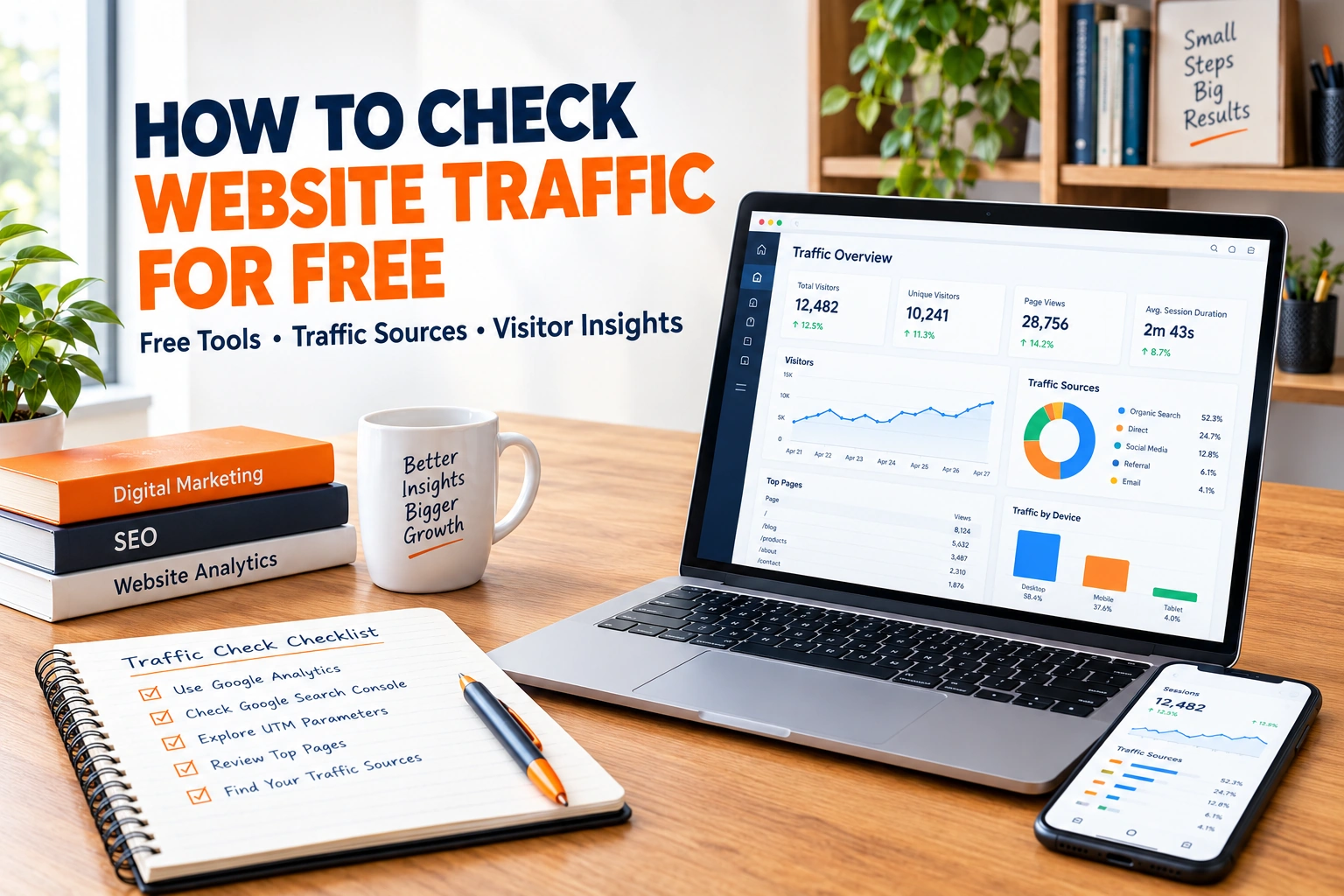
Learning how to check website traffic for free is the fastest way to understand how your site performs and how your competitors compare. You do not need a paid subscription, because Google and several SEO platforms give away useful data at no cost. SpyFu explains that you can check a website’s traffic to measure a competitor, research a potential client, or track industry trends. The right method depends on one question, which is whether you own the site or want to research someone else’s.
This guide shows how to check website traffic for free using seven tools and methods, explains how accurate each one is, and ends with a simple step by step process for 2026.
Table of Contents
ToggleWhy Learn How to Check Website Traffic for Free ?
SE Ranking lists three reasons to analyze traffic. You see where you stand, you understand growth dynamics through historical spikes and drops, and you learn what competitors get so you can set smarter goals. Traffic data also shows which channels work. SpyFu separates organic clicks from paid clicks, so you can see whether a site wins through rankings or through ads. When you know how to check website traffic for free, you can make these decisions without waiting for a budget.
First-Party vs Third-Party Data When You Check Website Traffic for Free
The first choice in how to check website traffic for free is the type of data you need. SE Ranking draws a clear line. Google Analytics and Google Search Console offer first-party data based on real user activity, but only for sites you own and have verified. Third-party tools give estimates for any domain. SpyFu adds that you cannot access another website’s first-party data unless the owner grants permission, which is why estimators are so popular.
| Data Type | Where It Comes From | Works For |
|---|---|---|
| First-party | Google Analytics, Google Search Console | Sites you own |
| Third-party estimate | SpyFu, Semrush, SE Ranking, Ahrefs | Any domain you want to research |
Quick Comparison of 7 Ways to Check Website Traffic for Free
The table shows how to check website traffic for free with each option and what the sources say about its free offer. Plans and limits change, so confirm them on each vendor’s site.
| Tool or Method | Best For | Free Offer Reported |
|---|---|---|
| Google Analytics | Your own site | Free analytics |
| Google Search Console | Your own search clicks | Free |
| SpyFu | Competitor SEO and PPC clicks | Unlimited free searches |
| Semrush Traffic Checker | Domain or URL estimates | Free tool |
| SE Ranking Traffic Checker | Organic, paid, and AI search | Free to check |
| Ahrefs Traffic Checker | Search traffic estimates | Free version |
| Ahrefs Free | Your own site data | Free account |
7 Tools and Methods to Check Website Traffic for Free
This section shows how to check website traffic for free by starting with first-party tools for your own site, then using estimators for competitors.
1. Google Analytics
Google Analytics shows real visitor behavior on a site you own. SE Ranking recommends it as the first choice for checking your own domain. Because it records actual visits, it is the benchmark every estimator is compared against. Install it early, since it cannot show past data from before setup.
2. Google Search Console
Search Console is Google’s free tool for seeing how a site performs in search. SE Ranking and SpyFu both name it as internal data that outranks any estimate for accuracy. It focuses on search clicks and impressions, so pair it with Analytics for the full picture. You can sign up for Search Console and verify your site in minutes.
3. SpyFu
SpyFu says you can check any website’s traffic for free, with no limit on the number of searches. You enter a domain and see estimated organic clicks, the change from last month, and the split between SEO and PPC traffic. Its SEO Overview adds keyword counts and the value of clicks, while the PPC Overview shows paid clicks and budget. Daily traffic through My Sites needs a paid plan, which SpyFu prices from USD 39 per month.
4. Semrush Traffic Checker
Semrush describes its tool as a free way to check estimated monthly traffic for any domain or URL. It also shows where traffic comes from and which pages drive growth. Semrush offers a seven day free trial for the full platform. The free checker is a quick first look at how to check website traffic for free before you decide whether deeper tools are worth paying for.
5. SE Ranking Traffic Checker
SE Ranking says you can check website traffic for free, covering organic, paid, and AI search. It estimates clicks in classic results and in Google’s AI powered results separately. The report also lists top pages, keywords, geography, and algorithm update dates on the graph. You can connect GA4 for engagement data, and the Core plan is listed at USD 103.20 per month. It is another easy example of how to check website traffic for free.
6. Ahrefs Traffic Checker
Ahrefs offers a free version of its traffic checker for any website or webpage. Its Site Explorer graph shows traffic globally and locally across 171 countries. You can also review top pages, top subfolders, top subdomains, and the keywords that send visitors. Ahrefs adds a Batch Analysis tool for checking up to 200 websites at once, which makes it a flexible option for how to check website traffic for free at scale.
7. Ahrefs Free for Your Own Site
Ahrefs Free is a separate free account for your own site. Its page lists tools such as Site Audit and Web Analytics among the core features available. Pairing it with Google Analytics gives two views of your own data. Ahrefs lists its Starter plan at USD 29 per month if you later want competitor research.
Who Needs to Know How to Check Website Traffic for Free ?
Business owners use these skills to confirm that marketing spend is working. Agencies use them to research a potential client before a pitch, which SpyFu names as a common use. Content teams use traffic data to see which pages deserve updates, and sales teams use it to size up competitors. Anyone who owns a site or competes online benefits from knowing how to check website traffic for free.
Organic vs Paid Traffic Explained
SE Ranking defines organic traffic as visits from non-ad search results and paid traffic as visits from advertisements at the top of the results page. To grow organic traffic you improve rankings, and to grow paid traffic you optimize your PPC campaigns. Seeing both in one view matters when you check website traffic for free on a rival. A site with mostly paid clicks depends on its ad budget, while a site with mostly organic clicks has built lasting search visibility.
How Traffic Estimators Work ?
Any guide on how to check website traffic for free should explain the math. SpyFu explains that estimators calculate the search results where a site appears and the rate at which people click them. They factor in keyword rankings, search volume, and estimated click through rates.
SE Ranking adds that its algorithm refines search volume data and adjusts click rates using search features and intent. The method is sound for trends, but it is still an estimate.
How Accurate Are Free Traffic Checkers ?
When you study how to check website traffic for free, accuracy is the first concern. SpyFu says third-party tools do a solid job, yet their numbers will not always match internal analytics. The estimates are close enough to spot big changes, identify market leaders, and catch trends over time. SE Ranking agrees that no third-party tool matches the precision of Search Console or GA4. Use estimators for direction, and use your own analytics for exact numbers. Treat every result from how to check website traffic for free as direction, not a verdict.
Step by Step How to Check Website Traffic for Free
Follow these steps to learn how to check website traffic for free whenever you need a quick, reliable reading.
1. Decide whose traffic you need. Your own site calls for Analytics and Search Console, and a competitor calls for an estimator.
2. Enter the domain. This is the core of how to check website traffic for free, so type the domain or URL into SpyFu, Semrush, SE Ranking, or Ahrefs.
3. Pick the right country. SpyFu lets you change the country to see estimated clicks from each region.
4. Compare organic and paid traffic. Note which channel drives the most clicks.
5. Record the numbers monthly. Save screenshots or notes so you can see trends over time.
What Metrics to Look For When You Check Website Traffic for Free ?
Once you know how to check website traffic for free, the next step is choosing metrics. Not every number matters equally, so the table lists the metrics the sources highlight and what each tells you.
| Metric | What It Tells You |
|---|---|
| Estimated organic clicks | Visitors from unpaid Google results |
| Estimated paid clicks | Visitors from Google Ads |
| Keyword count | How widely the site ranks |
| Traffic value | What buying the same traffic through ads would cost |
| Top pages | Which content brings the most visitors |
| Traffic by country | Where the audience is located |
| Historical trend | Growth, drops, and seasonality |
AI Overviews and Google Updates
Anyone learning how to check website traffic for free should also know that SpyFu notes many sites saw traffic drops after the wider rollout of AI Overviews in May 2024, because zero click searches answer questions on the results page. Impact varies by business type. Both SpyFu and SE Ranking let you view Google algorithm updates on the traffic chart. Matching a dip to an update date helps you decide whether a drop is a site problem or an industry shift.
How to Use the Data After You Check Website Traffic for Free ?
Traffic numbers only matter when they lead to action. Ahrefs suggests reviewing which pages drive the most traffic for competitors and reverse engineering what works for them. The same tool shows which keywords send visitors, which helps you find new keywords to target. SpyFu adds that country data shows where a competitor is strong, so you can decide where to expand ads or content. Knowing how to check website traffic for free also helps you set goals. SE Ranking says comparing your progress with the main players in your niche leads to smarter targets.
Common Mistakes When You Check Website Traffic for Free
The biggest errors in how to check website traffic for free are easy to avoid. The first is treating estimates as exact figures. SpyFu stresses that Google does not share exact click counts for advertisers, so paid numbers are always approximate. The second is comparing numbers from different tools as if they were the same metric. Each platform uses its own data and models. The third is checking once and never again. Trends and spikes only appear when you track traffic over months.
Conclusion
Knowing how to check website traffic for free gives every site owner and marketer a clear, no cost starting point. Use Google Analytics and Search Console for your own site, and SpyFu, Semrush, SE Ranking, or Ahrefs for competitors. The sources agree that how to check website traffic for free works best when estimates guide trends and comparisons, while first-party data is best for exact numbers. Combine both for a complete view. Set a monthly routine for how to check website traffic for free, track the same metrics each time, and act on what the data shows.
How Dizispark Can Help ?
Dizispark is a Delhi-based digital marketing agency that sets up analytics, audits traffic sources, and turns visitor data into SEO and paid media plans. We connect Google Analytics, Search Console, and reporting dashboards so how to check website traffic for free becomes a repeatable routine and you always know which channels bring leads.
We also manage a fully optimized Google My Business Profile that strengthens local search visibility alongside your traffic growth work, and we connect it with your SEO strategy and paid campaigns for one consistent growth plan.
Reach out to Dizispark today and let us build a traffic tracking and growth plan for your business.
Frequently Asked Questions
How do I check website traffic for free?
For your own site, use Google Analytics and Google Search Console, which give first-party data based on real visits. For any other site, enter the domain into a free estimator such as SpyFu, Semrush, SE Ranking, or Ahrefs. SpyFu says its free checker has no limit on searches. Look at estimated organic clicks, paid clicks, top pages, and country data. Record the numbers each month so you can spot trends, and remember that third-party results are estimates rather than exact visitor counts. Repeating the check on the same day each month makes comparisons fair and shows whether your changes are working.
Can I check any website’s traffic for free?
Yes, and this is the easiest part of how to check website traffic for free. You can see estimated traffic for almost any domain using free third-party tools. Semrush offers a free checker for any domain or URL, SE Ranking says you can check website traffic for free, and Ahrefs provides a free version for any site or page. However, you cannot see another site’s real analytics without the owner’s permission. SpyFu explains that this is why estimators are popular, since they give a useful outside view for competitor research, client research, and industry trend tracking. Check several tools and compare the direction of each result before drawing conclusions.
How accurate are free website traffic checkers?
They are accurate enough for direction but not for exact counts. SpyFu says third-party numbers will not always match internal tools such as Google Analytics or Search Console, yet they are close enough to spot big changes and market leaders. SE Ranking agrees that no third-party tool can match the precision of GA4 or Search Console. Use estimators to compare sites and watch trends, and use your own analytics when you need exact visitor numbers for reporting or decisions. Never present an estimate to a client as a precise visitor count.
What is the difference between Google Analytics and third-party traffic checkers?
Google Analytics records real user activity on a site you own, so it is first-party data. Third-party checkers such as SE Ranking, Semrush, SpyFu, and Ahrefs estimate traffic from keyword rankings, search volume, and click through rates, and they work on any domain. SE Ranking summarizes the key difference by saying analytics tools cover only your verified domains, while estimators let you research and compare any site, including competitors. Most marketers use both, with analytics for accuracy and estimators for competitive context. Start with analytics on your own site, then add estimators once you want to benchmark against rivals.
Can I check my competitor’s traffic for free?
Yes. Enter the competitor’s domain into a free checker and review estimated organic and paid traffic, top keywords, top pages, and country data. SpyFu also lets you compare a site’s share of traffic against its competitors in the SEO Overview. Ahrefs shows top pages, subfolders, and subdomains, which helps you see which content brings the most visitors. Treat the numbers as estimates, compare the same metrics across sites, and repeat the check monthly to see whether the gap is growing or shrinking. Knowing how to check website traffic for free on rivals shows where to compete.
What is the difference between organic and paid traffic?
Organic traffic comes from unpaid search results, while paid traffic comes from advertisements such as Google Ads. SE Ranking explains that you grow organic traffic by improving rankings, and you grow paid traffic by optimizing pay per click campaigns. SpyFu shows both in one overview, comparing organic clicks with paid clicks for a domain. Seeing the split tells you whether a competitor relies on rankings, on ads, or on both, and it helps you decide where to invest your own budget. A site that wins mostly through rankings is usually harder to catch than one buying clicks. Compare both channels before you set your own targets.
How can I see where a website’s traffic comes from by country?
Most estimators let you choose a country before you check a domain. SpyFu says you can change the country selection to see estimated organic clicks from that region, which shows whether a site targets one market or many. SE Ranking and Ahrefs also show geography, with Ahrefs covering traffic across 171 countries. Country data is a useful part of how to check website traffic for free. Use this data to compare markets, spot where a competitor is growing, and decide where to focus your own content or advertising. Check one country at a time so the numbers stay comparable between tools. Repeat the lookup each month to see where visibility is growing.
Why does my traffic differ between tools?
Each tool uses a different data source and method. Google Analytics counts real visits on your site, while estimators calculate traffic from rankings, search volume, and click through rate models, as SpyFu and SE Ranking explain. SE Ranking adds that it adjusts click rates using search features and intent, so models can differ from one platform to another. Expect gaps, compare trends instead of single numbers, and treat your own analytics as the reference when you need exact figures. A consistent method matters more than a perfect number.