
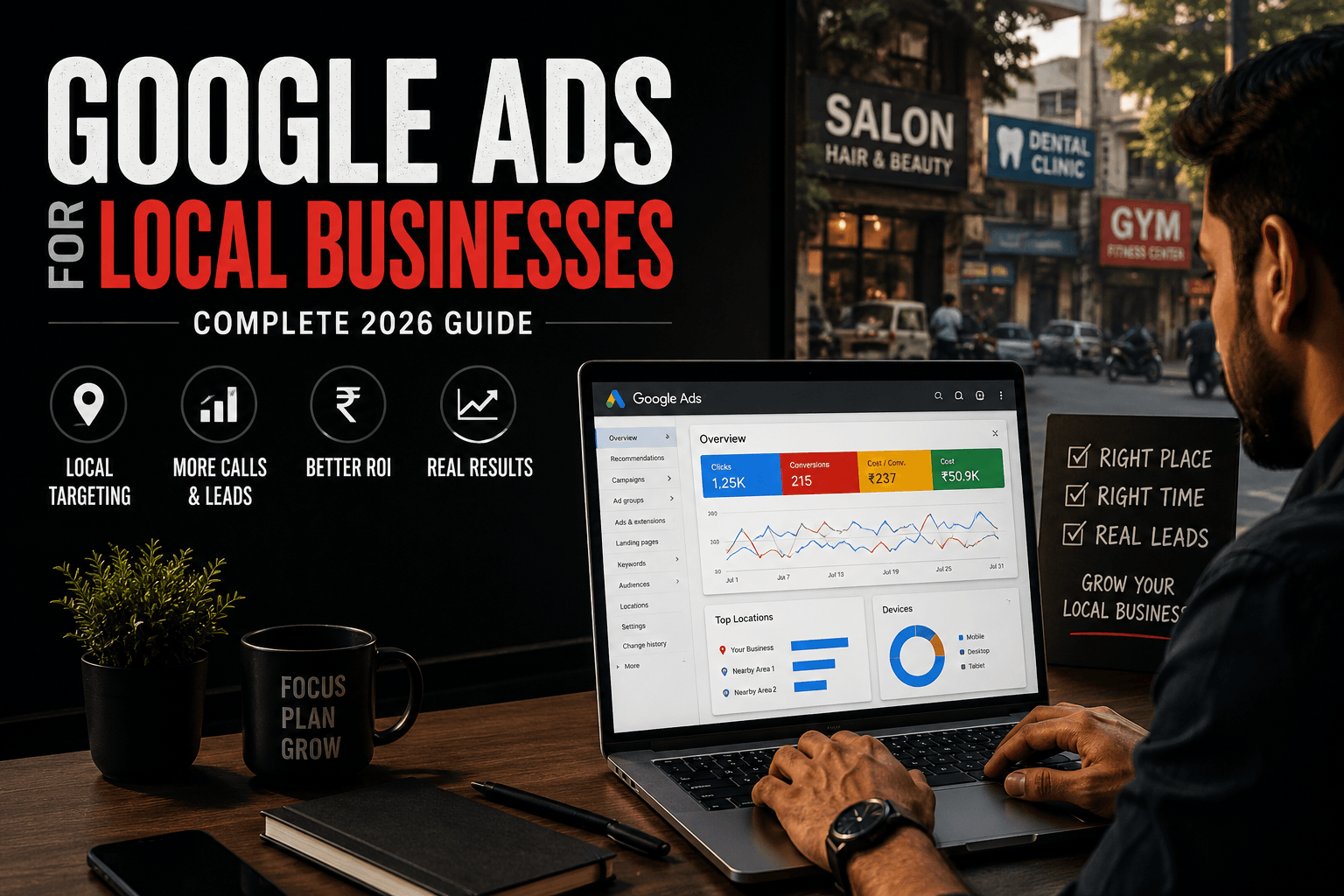
Have you ever searched for a service near you and clicked the very first result without a second thought? That’s exactly the moment Google Ads for local businesses is built to capture. Most local customers no longer flip through directories or wait for a referral, they search, click one of the top results, and reach out within minutes. If your business isn’t the one they see, that lead simply goes to a competitor.
This complete guide covers everything you need to know about Google Ads for local businesses in 2026. You will find a step-by-step setup process, location targeting options, the ad extensions that drive the most clicks, budgeting guidance, and the common mistakes that quietly drain local ad budgets. Every claim in this article is backed by verified data listed at the end of each section.
Table of Contents
ToggleWhy Google Ads for Local Businesses Works So Well
Google Ads for local businesses works because it connects with people at the exact moment they’re searching for what you offer, not while they’re scrolling past unrelated content. Location-based targeting lets a business define exactly where its ads appear, from an entire city down to a specific radius around a single storefront, so ad spend goes toward people who are actually close enough to visit or call.
The pay-per-click model also makes this accessible for a small budget. A business is charged only when someone clicks, and daily budgets can be set and adjusted freely, which means a local shop can run a meaningful campaign for a fraction of what traditional advertising would cost. Every click, call, and conversion is also fully trackable, giving a local business the kind of detailed performance data that used to be reserved for companies with much bigger marketing teams.
Key Takeaway:
Google Ads for local businesses puts your listing in front of people who are actively searching, in your exact service area, and you only pay when someone clicks. That combination of intent, location precision, and cost control is why it consistently outperforms broader, less targeted forms of advertising for local business owners.
Google Ads vs Traditional Local Advertising
Before setting up a campaign, it helps to see why Google Ads for local businesses has become the default choice over flyers, local print, or radio spots for most small businesses.
| Factor | Google Ads | Traditional Advertising |
|---|---|---|
| Audience Targeting | Precise location and search-intent targeting | Broad and largely untargeted |
| Speed of Results | Visibility and clicks within days | Slow, unpredictable response cycle |
| Budget Flexibility | Adjustable daily budgets, pause anytime | Fixed, often high upfront cost |
| Performance Tracking | Detailed clicks, calls, and conversion data | Difficult to measure ROI accurately |
| Lead Quality | High-intent prospects actively searching | Mixed audience, many not in-market |
Google search also captures people in an active decision-making mindset. Someone searching “emergency plumber near me” or “AC repair today” is already looking to buy, which is a different mindset entirely from someone casually scrolling social media. This is a key reason Google Ads for local businesses tends to convert at a higher rate than awareness-focused advertising.
How to Set Up Google Ads for Local Businesses
Setting up Google Ads for local businesses correctly from the start saves budget and avoids the most common early mistakes. Here is the process broken into clear steps.
Step 1 Create Your Google Ads Account
Sign up at the Google Ads homepage using an existing Google account or a new one dedicated to the business. You’ll be asked for your business name, website URL, and payment details to get the account ready for campaign creation.
Step 2 Define Your Campaign Goal
Choose the objective that matches what you actually want, more website visits, more calls, or more in-store visits, since this shapes how the rest of the campaign gets built. For most local businesses just getting started, a Search campaign focused on calls or website leads is the safest starting point.
Step 3 Set Up Location Targeting
This is the step that makes Google Ads for local businesses fundamentally different from national campaigns. You can target by city, state, or zip code for a simple approach, or set a radius around your business address, as tight as one kilometre, for a more precise approach. Under location options, choose “Presence: People in or regularly in your included locations” rather than “Presence or interest,” since the interest-based setting can show your ad to people far outside your service area who simply searched for or follow content about your city.
Step 4 Write Ad Copy with Local Keywords
Build your headlines and descriptions around your service plus a location, such as a city or neighbourhood name. Local keywords do two things at once: they improve how relevant your ad looks to a nearby searcher, and they naturally filter out clicks from people outside your service area, which protects your budget.
Step 5 Add Ad Extensions and Launch
Attach location, call, and sitelink extensions before your campaign goes live, then set a realistic daily budget and launch. Expect to see clicks and traffic almost immediately, with the real work of optimisation starting once you have a few days of performance data.
Best Strategies for Google Ads for Local Businesses
Getting a campaign live is only the first step. These strategies separate local campaigns that perform well from ones that quietly burn through budget.
Connect your Google Business Profile. Linking your profile to your ads account pulls in your address, hours, phone number, and reviews, which makes your ad far more prominent in map-based results. A large share of local searchers click directly into map pack results, so this single step has an outsized impact on visibility.
Use tight, specific location targeting. Rather than targeting an entire state or country, define the actual radius or set of zip codes your business realistically serves. This lowers cost per lead and keeps your budget focused on people who can genuinely become customers.
Schedule ads around business hours. By default, ads can run 24/7, including times your business is closed and unable to respond. Setting an ad schedule that matches your actual opening hours avoids paying for clicks you can’t act on.
Enable call tracking. Since many local searches lead directly to a phone call, tracking call length as a conversion signal, rather than counting every call regardless of duration, gives you a far more accurate picture of which campaigns are actually generating real enquiries.
Track every meaningful conversion. Calls from ads, calls from your website, form submissions, and email clicks should all be set up as trackable conversion actions, so you know exactly which parts of the campaign are earning their budget.
Ad Extensions That Matter Most for Local Businesses
Ad extensions, now officially called assets, add extra information directly to your ad and are one of the simplest ways to improve click-through rate in Google Ads for local businesses without changing your bids at all.
Location extensions display your address, a map pin, or the distance from the searcher to your business, which is especially valuable for anyone searching on a phone while out and about.
Call extensions add a phone number directly to the ad, letting mobile users tap once to call rather than visiting your website first.
Sitelink extensions add extra links beneath your main ad, pointing to pages like your services list, contact page, or current offers, giving searchers more than one way to engage.
Callout and structured snippet extensions highlight specific details, such as same-day service, free estimates, or years in business, that build trust in the small space of a search ad.
Ads using a full set of relevant extensions consistently outperform bare-bones ads with just a headline and description, since they simply give the searcher more reasons and more ways to act.
Google Local Services Ads vs Standard Google Ads PPC
Alongside standard search campaigns, Google Ads for local businesses also includes a separate format called Local Services Ads, and it’s worth understanding how the two differ before choosing where to invest budget.
Local Services Ads are pay-per-lead rather than pay-per-click, which means you’re charged when someone actually calls or messages through the ad, not simply for a click. They appear above standard search ads, come with a “Google Guaranteed” badge for eligible business types, and require far less day-to-day management since there’s no keyword targeting or manual bidding involved. The trade-off is that they’re only available to a limited set of service-based business categories, and you have very little control over how the ad looks or where exactly it appears.
Standard PPC campaigns, by contrast, offer full control over keywords, ad copy, bidding, and targeting, which suits a wider range of business types but requires more ongoing management to run well. Many established local businesses eventually run both formats side by side, using Local Services Ads for low-effort lead capture and standard PPC for more controlled, scalable growth.
Common Mistakes Local Businesses Make With Google Ads
Even well-intentioned Google Ads for local businesses campaigns can underperform because of a handful of recurring mistakes.
- Overbidding or underbidding on local keywords: Bidding too aggressively drains budget quickly without proportional returns, while bidding too low limits visibility. Regularly reviewing keyword performance and adjusting bids keeps spend efficient.
- Ignoring negative keywords: Without them, ads can show up for irrelevant searches, such as a plumbing business appearing for “plumbing jobs” instead of plumbing services, wasting clicks on the wrong audience.
- Using “presence or interest” targeting instead of “presence”: This setting can show your ad to people far outside your actual service area who simply expressed interest in your city, which quietly wastes budget on unreachable searchers.
- Not tracking conversions properly: Without accurate conversion tracking, it’s nearly impossible to know which keywords, ads, or campaigns are actually generating leads versus which ones are just generating clicks.
- Letting ads run outside business hours: Ads running 24/7 by default means you may be paying for calls and clicks you have no way to respond to.
- Skipping ad extensions: Leaving out location, call, and sitelink extensions makes an ad less informative and less clickable than a competitor’s ad running the full set.
Conclusion
Google Ads for local businesses succeeds where broader advertising falls short because it combines search intent, tight location targeting, and full cost control in one platform. A customer searching for a service nearby is already close to making a decision, and a well-set-up local campaign puts your business directly in front of them at that moment.
The businesses that get the most out of this channel aren’t necessarily spending the most. They’re the ones getting the fundamentals right: precise “presence” location targeting, a connected Google Business Profile, a full set of ad extensions, accurate conversion tracking, and an ad schedule matched to real business hours. Get those pieces in place, monitor performance consistently, and Google Ads becomes one of the most reliable ways for a local business to turn nearby searches into real, paying customers.
How Dizispark Can Help
Grow your business with proven Google Ads strategies that put you in front of local customers ready to call, visit, or buy. Dizispark helps local businesses set up, manage, and optimize Google Ads campaigns, from location targeting and ad copy to conversion tracking and ongoing performance reviews, so every rupee of ad spend is working as hard as possible.
Frequently Asked Questions
Q1. What is Google Ads for local businesses?
Google Ads for local businesses refers to running paid search campaigns with location-based targeting so ads only appear to people searching within a business’s actual service area. It combines Google’s search intent with geographic precision, letting a business reach nearby customers who are actively looking to buy.
Q2. How much does Google Ads cost for a local business?
There’s no fixed cost, since Google Ads runs on a pay-per-click model with a budget you control directly. A local business can start with a modest daily budget and scale it up as campaigns prove profitable, making it accessible even for businesses with limited marketing resources.
How quickly can Google Ads generate leads for a local business?
Most campaigns begin generating clicks and enquiries within a few days of launching, with some businesses seeing calls and form submissions within 24 to 72 hours. Actual results depend on budget, competition in the local market, and how well the campaign is set up.
Q4. What’s the difference between Google Ads and Google Local Services Ads?
Standard Google Ads is a pay-per-click model with full control over keywords and bidding, while Local Services Ads is a pay-per-lead model where you’re charged for calls or messages rather than clicks. Local Services Ads is only available to certain service-based business categories but requires much less day-to-day management.
Q5. Is Google Ads better than Facebook Ads for local businesses?
Both can work well, but they serve different purposes. Google Ads captures people who are actively searching with clear intent to buy, while Facebook and Instagram ads reach people who weren’t necessarily looking for your service at that moment. For local businesses dealing with urgent or high-intent needs, Google Ads tends to convert more directly.
Q6. What is the biggest mistake local businesses make with Google Ads?
Skipping proper location targeting settings is one of the most common and costly mistakes. Using “presence or interest” targeting instead of “presence” alone can show ads to people far outside a business’s actual service area, quietly wasting a significant share of the budget on clicks that were never going to convert.
Q7. Do I need a Google Business Profile to run Google Ads for my local business?
It isn’t strictly required, but connecting one is strongly recommended. A linked Google Business Profile feeds your business name, address, hours, and reviews into your ads, which significantly improves visibility in map-based results and builds trust with searchers before they even click.
Q8. Should a local business track phone calls from Google Ads?
Yes. Since a large share of local searches lead directly to a phone call rather than a website visit, call tracking is essential for understanding true campaign performance. Setting a minimum call duration for what counts as a conversion also helps filter out wrong numbers or quick hang-ups from genuine enquiries.