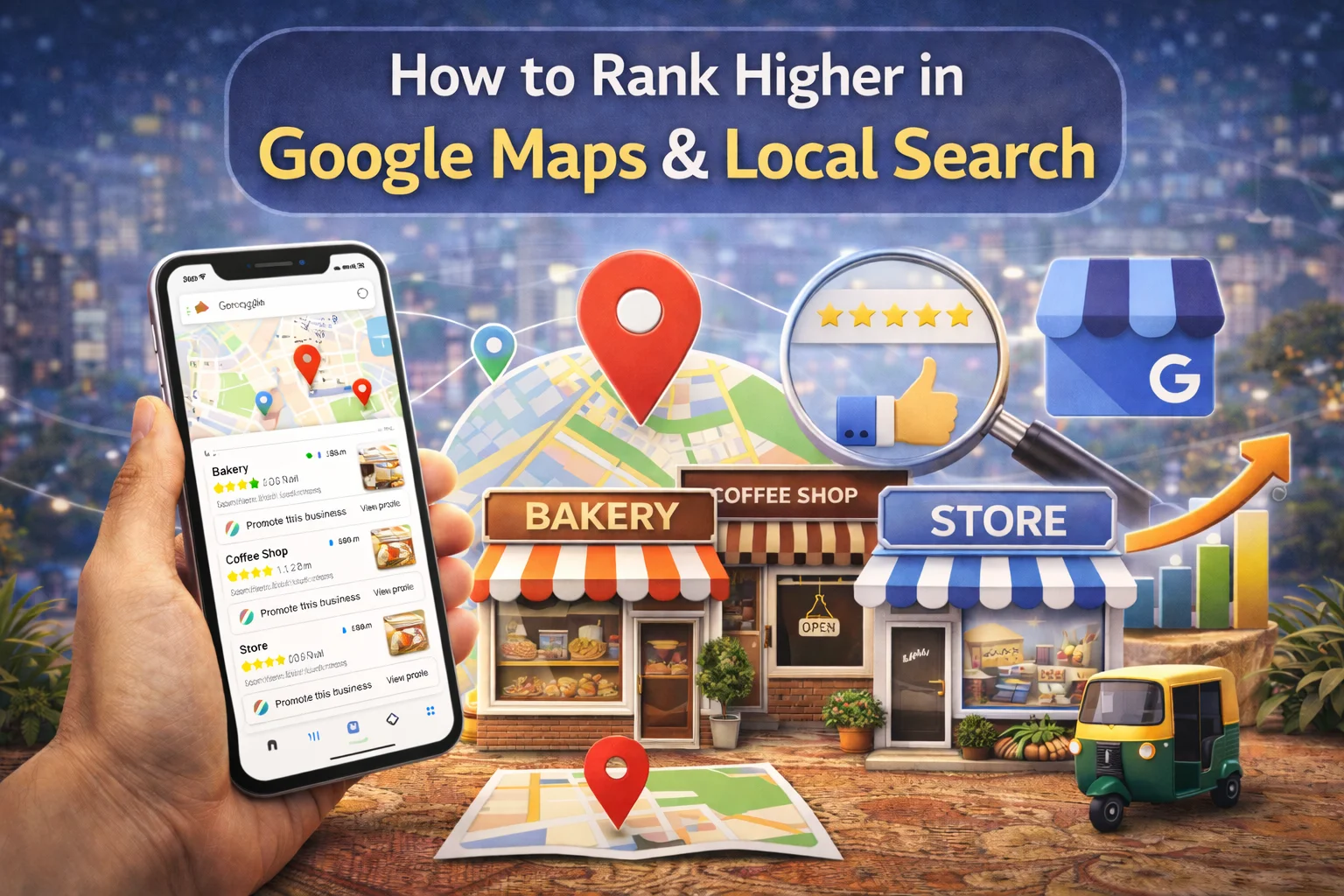
Think about the last time you needed a service near a coffee shop, a plumber, or a dentist. What did you do? You probably pulled out your phone, typed “[service] near me” into Google, and picked one of the top results from the map pack. You’re not alone. In fact, 46% of all Google searches have local intent, and 44% of clicks go to the Local Pack, the top 3 businesses that appear with a map. If your business isn’t there, you’re invisible to customers ready to buy.
The good news? You don’t need to be an SEO wizard to fix this. With the right strategy, consistency, and proven techniques, you can rank higher in Google Maps and attract more local customers. In this comprehensive guide, we’ll walk you through exactly how to rank higher in Google Maps in 2026, backed by real data and actionable steps. Whether you’re a local florist, dentist, restaurant owner, or service provider, these strategies will help you dominate local search and drive more foot traffic, calls, and sales.
Why Ranking Higher in Google Maps Matters for Your Business
1. l The Power of Local Search
Local search has transformed how customers find businesses.
Consider these statistics:
- Nearly 90% of consumers use Google Maps to find businesses
- 76% of people who search for something nearby visit the store within 24 hours
- 82% of consumers have done a “near me” search
- 93% are likely to click one of the first 2-3 results they see
When someone searches for your service, they’re not just browsing; they’re ready to buy. If you rank higher in Google Maps, you capture that intent and turn searchers into customers.
2. The Local 3-Pack Advantage
The Local Pack (those top 3 businesses with star ratings) is prime real estate. Not only do these listings appear on Google Maps, but they also display in regular Google Search results, giving you double the visibility. Studies show that 48% of local intent searches lead to GBP interaction within 24 hours. The average Google Business Profile listing receives 1,260 views per month, with 56% of views coming from discovery searches meaning people found you without searching for your brand by name.
3. The ROI of Local Visibility
A well-optimized Google Business Profile delivers measurable results:
- Verified businesses see 70% more visits
- Complete profiles generate 4x more website visits
- Complete profiles generate 12% more calls
- 85% of customers consider contact info and hours important
When you rank higher in Google Maps, every element of your profile works harder to bring customers through your door.
How Google Maps Ranking Works in 2026
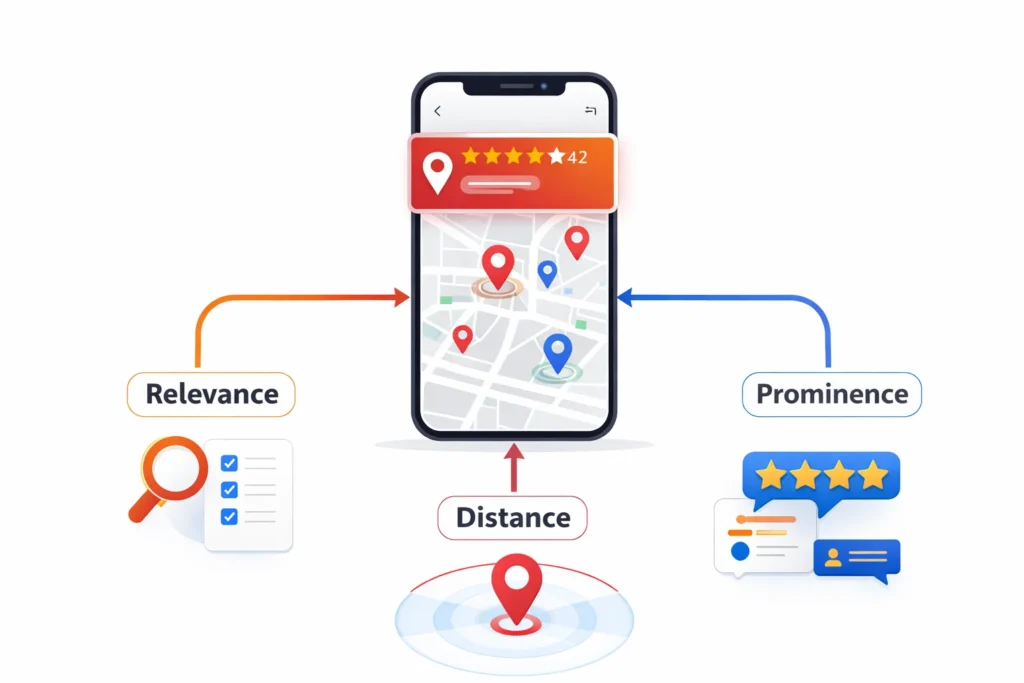
1. The Three Core Ranking Factors
Google uses three primary factors to determine local rankings:
- Relevance: How well your business matches what the searcher is looking for. If someone searches for “vegan bakery,” Google checks if your categories, description, and content mention vegan options.
- Distance: How close your business is to the searcher’s location. This is why hyper-local targeting matters – Google prioritizes businesses nearest to the user.
- Prominence: How well-known and trusted your business is online. This includes review quantity and quality, backlinks, citations, and overall online authority .
2. Additional Ranking Signals Google Uses
Beyond the core three, Google evaluates dozens of signals:
- Reviews: Quantity, quality, recency, and sentiment
- NAP consistency: Name, Address, Phone matching across all platforms
- Categories: Primary and secondary category selection
- Photos and videos: Visual content engagement
- Google Posts: Regular updates and offers
- Q&A activity: Customer questions and your responses
- Local backlinks and citations: Mentions across the web
- Website quality: Mobile optimization, speed, local content
According to research, GBP contributes approximately 19% to local SEO ranking factors, and 90% of marketers believe reviews directly impact local rankings. Understanding these factors is the first step to learning how to rank higher in Google Maps.
Step 1: Claim and Verify Your Google Business Profile
1. Why Verification Matters
Your Google Business Profile (formerly Google My Business) is the foundation of local visibility. Without verification, you have no control over your information, and Google doesn’t trust your business.
The numbers speak for themselves:
- Verified businesses see 70% more visits
- Verified businesses are 2.7x more likely to be seen as reputable with complete profiles
- Fully verified profiles generate 4x more website visits
- Fully verified profiles generate 12% more calls
2. How to Claim Your Profile
- Go to google.com/maps or open the Google Maps app
- Search for your business name
- If it appears, click “Claim this business” or “Own this business?”
- Follow the verification prompts (postcard, phone, email, or video call)
3. What Happens After Verification
Once verified, you gain full control over your business information, access to GBP Insights, the ability to respond to reviews, and the power to post updates. Most importantly, you signal to Google that your business is legitimate – a critical factor if you want to rank higher in Google Maps.
Step 2: Optimize Every Section of Your Google Business Profile
1. NAP Consistency (Name, Address, Phone)
NAP consistency is the foundation of local SEO. Your Name, Address, and Phone number must be identical across your website, Google Business Profile, directories, and social media. Even small variations (“St.” vs “Street”) confuse Google and customers.
- 80% of consumers lose trust with inconsistent NAP info
- 62% may avoid business entirely with inaccurate info
- 93% frustrated by incorrect details
- 52% likely to leave negative review after encountering issues
Use a local phone number (avoid toll-free numbers) and ensure formatting matches everywhere. This simple step is non-negotiable if you want to rank higher in Google Maps.
2. Business Categories
Your primary category is one of the strongest signals you send to Google. Choose the most specific category that matches your core business. For example, “Pizza Restaurant” not just “Restaurant.” You can also add up to 9 relevant secondary categories. Why categories matter: Categories directly influence which searches you appear for. A study found that 48% of local intent searches lead to GBP interaction within 24 hours and categories help determine whether your business qualifies for those searches.
3. Business Description
Write 3-4 concise, informative sentences about your business. Include local keywords naturally – mention your city or neighborhood, key services, and what makes you unique. But remember: no keyword stuffing. Write for humans first, search engines second.
4. Business Hours
Keep regular hours updated accurately. Add special hours for holidays. Nothing frustrates customers more than showing up to a closed business because your profile said open. 85% of customers consider hours important when choosing a business.
5. Products and Services
Add specific services Google suggests for your category. Create custom services if needed. Include pricing when possible. This helps you rank for service-specific searches and gives customers immediate information.
6. Attributes
Add relevant attributes like “women-led,” “black-owned,” “free WiFi,” “wheelchair accessible,” etc. These provide Google (and customers) more context about your business.
7. Website and Social Links
Add your website URL and include social media profiles. This builds authority and gives customers more ways to connect with you. When every section of your profile is complete and optimized, you’re sending strong signals to Google that help you rank higher in Google Maps.
Step 3: Add High-Quality Photos and Videos
1. The Impact of Visual Content
Photos aren’t just nice to have, they directly impact your rankings and customer engagement:
- Businesses with photos get 42% more direction requests
- Businesses with photos get 35% more website clicks
- Complete profiles with photos are 2.7x more trusted
2. Types of Photos to Upload
- Exterior shots: Building entrance, signage, parking area
- Interior shots: Workspace, reception, unique features
- Team photos: Staff in action, team interactions
- Product/service images: Real inventory, dishes, completed projects
- Behind-the-scenes: Daily operations, equipment
- Before & after: Especially for service businesses (salons, contractors, cleaners)
3. Photo Requirements
- Format: JPG or PNG
- File size: 10KB – 5MB
- Resolution: Minimum 720px x 720px
- Well-lit, not overly filtered, no AI-generated images
- Update regularly to keep profile fresh
4. Video Best Practices
- Keep under 75MB and 30 seconds
- Resolution: 720p or higher
- Show your business in action
Visual content signals engagement to Google and helps customers trust you. It’s an essential part of learning how to rank higher in Google Maps.
Step 4: Build a Strong Review Strategy
1. Why Reviews Matter for Ranking
Reviews are arguably the most powerful ranking factor for local search:
- 89% of customers check online reviews before purchasing
- 90% of marketers believe reviews directly impact local rankings
- Reviews contribute heavily to the “prominence” ranking factor
- Review quantity, quality, recency, and sentiment all matter
If you want to rank higher in Google Maps, you cannot ignore reviews.
2. How to Get More Reviews
- Ask happy customers in person at checkout
- Send follow-up emails or texts with a direct review link
- Add QR codes on receipts and in-store signage
- Train staff to ask at the end of every positive interaction
- Include the review link in email signatures
- Create a “Review Us” page on your website
3. How to Respond to Reviews
Respond to ALL reviews both positive and negative. This is not optional:
- 97% of readers notice when businesses respond to reviews
- Businesses that respond are 1.7x more likely to be found trustworthy
- Businesses responding to reviews see 50% more spending from customers
4. Positive Review Response Tips
- Thank them personally by name
- Mention something specific from their experience
- Sign with your name (shows it’s not automated)
5. Negative Review Response Tips
- Stay professional and friendly (always)
- Apologize if appropriate
- Offer to resolve the issue offline
- Check your records before responding
- Show future customers you care about feedback
6. Review Goals
- Aim for 10+ reviews minimum
- Maintain a high average rating (4+ stars)
- Respond to every review within 24-48 hours
A strong review strategy directly impacts your ability to rank higher in Google Maps.
Step 5: Leverage Google Posts and Q&A
1. Google Posts
Google Posts let you share updates, offers, and events directly on your profile. They keep your profile fresh and signal to Google that your business is active and engaged.
Post Ideas:
- Announce new products or services
- Promote limited-time offers
- Share upcoming events
- Highlight community involvement
- Post holiday hours
Regular posting shows Google you’re actively managing your profile – another signal that helps you rank higher in Google Maps.
2. Q&A Section
The Q&A section is often overlooked but powerful. Pre-answer common customer questions. Monitor for new questions and respond promptly. This shows engagement and helps customers find answers without calling.
Pro tip: Ask friends or team members to post common questions, then answer them publicly. This populates your Q&A section with helpful information.
Step 6: Optimize Your Website for Local SEO
1. Create Location-Specific Pages
If you have multiple locations, create unique pages for each one. Include the city or neighborhood in page titles and URLs. Add local keywords naturally in content. Each location should feel like its own local business.
2. Embed Google Maps on Your Contact Page
Embedding a Google Map on your contact page helps Google connect your website to your GBP. It also makes it easy for customers to find you – a win-win.
3. Use Local Schema Markup
Add LocalBusiness schema to your website. Include your NAP, hours, and business type. This structured data helps Google understand your business better and can improve your chances to rank higher in Google Maps.
4. Mobile Optimization
60%+ of local searches happen on mobile devices. If your website isn’t mobile-friendly, you’re losing customers:
- Ensure fast loading speeds (under 3 seconds ideal)
- Make site easy to navigate on small screens
- Include click-to-call buttons
- Keep forms simple and short
Step 8: Monitor Performance and Track Progress
1. Use GBP Insights
Google Business Profile Insights provides valuable data:
- Track views, searches, and actions
- See how customers find your profile (direct vs discovery)
- Monitor search queries people use
- Track calls, direction requests, and website clicks
2. Key Metrics to Watch
- Local pack ranking for target keywords
- Review quantity and average rating
- Photo views and engagement
- Post performance (views, clicks)
- Website traffic from local searches
3. Google Search Console and Analytics
- Track local search queries driving traffic
- Monitor click-through rates
- Identify opportunities for improvement
4. Regular Optimization Cadence
- Check insights weekly
- Respond to reviews within 24-48 hours
- Post updates at least weekly
- Update photos monthly
- Audit NAP consistency quarterly
Consistent monitoring and optimization ensure you maintain your position and continue to rank higher in Google Maps as competition changes.
| Mistake | Why It Hurts |
|---|---|
| Unverified GBP | No control over info, limited visibility |
| Inconsistent NAP | Confuses Google and customers |
| Wrong primary category | Misses relevant searches |
| No photos | 42% fewer direction requests |
| Ignoring reviews | Misses trust and ranking signals |
| No Google Posts | Appears inactive to Google |
| Incomplete profile | Less trusted, fewer clicks |
| Keyword stuffing | Looks spammy, hurts rankings |
| Outdated hours | Frustrates customers |
| No local backlinks | Weaker prominence signals |
| Not responding to Q&A | Misses engagement opportunities |
| Duplicate listings | Splits reviews and confuses Google |
Avoid these mistakes to maximize your chances to rank higher in Google Maps.
Conclusion
Ranking higher in Google Maps isn’t about quick fixes or gaming the system. It’s about consistently providing accurate information, engaging with customers, and building genuine local authority. The businesses that succeed with local SEO are those that claim and verify their Google Business Profile, keep NAP consistent everywhere, actively manage reviews, post fresh photos and updates, and earn local backlinks through community involvement. With 46% of all Google searches having local intent and 76% of “near me” searchers visiting a store within 24 hours, the opportunity for local businesses is massive.
The key is to approach rank higher in Google Maps as an ongoing process, not a one-time task. Start with the fundamentals, stay consistent, and watch your local visibility and your foot traffic grow. The businesses that invest in local SEO today will dominate local search results tomorrow, while those who delay risk becoming invisible to the customers who need them most.
How Dizispark Can Help
If you’re ready to dominate local search and attract more customers from your area, Dizispark can help you navigate every aspect of Google Maps optimization. From complete Google Business Profile setup and review management to local citation building and website optimization, we handle everything so you can focus on running your business. Our proven strategies have helped countless local businesses rank higher in Google Maps and drive real, measurable growth. We understand the Indian market, the regional nuances, and the specific challenges local businesses face. Contact Dizispark today for a consultation and discover how our proven local SEO strategies can help you rank higher in Google Maps and transform your online visibility into real, measurable growth.
Frequently Asked Questions
How long does it take to rank higher in Google Maps?
Most businesses see improvements within 3-6 months with consistent optimization. Factors include competition in your area, your current profile completeness, and how actively you manage reviews and posts. Some businesses see movement in weeks, but sustainable rankings require ongoing effort.
What are the top 3 Google Maps ranking factors?
The three core factors are Relevance (how well you match the search), Distance (proximity to the searcher), and Prominence (how well-known and trusted you are online). These three work together to determine local pack rankings.
How important are Google reviews for local ranking?
Extremely important. Studies show 89% of customers check online reviews before purchasing, and 90% of marketers believe reviews directly impact local rankings. Review quantity, quality, recency, and your responses all influence your ability to rank higher in Google Maps.
Do I need a website to rank on Google Maps?
While not strictly required, a website significantly improves your chances. It reinforces NAP consistency, provides additional ranking signals through local content and schema markup, and gives customers more information about your business. Businesses with websites consistently outperform those relying solely on their profile.
How many photos should I add to my Google Business Profile?
Aim for at least 10-20 high-quality photos covering exterior, interior, team, and products/services. Update them regularly. Businesses with photos get 42% more direction requests and 35% more website clicks – significant advantages when competing for local visibility.
What is NAP consistency and why does it matter?
NAP stands for Name, Address, and Phone number. Consistency means this information appears exactly the same across your website, Google Business Profile, directories, and social media. 80% of consumers lose trust when they find inconsistent information, and Google uses NAP consistency as a key verification signal.
Can I rank in Google Maps without any reviews?
Technically yes, but it’s extremely difficult. Reviews are a major component of the “prominence” ranking factor. Aim for at least 10 reviews to start, and continue building momentum. Businesses with more positive reviews consistently outperform those with few or no reviews.
How do I choose the right categories for my business?
Choose the most specific primary category that accurately describes your core business. For example, “Vegan Bakery” not just “Bakery.” Then add up to 9 relevant secondary categories. Categories directly influence which searches you appear for, so choose carefully.