How to verify my Google Business Profile in 2026 is an important step for businesses that want to appear on Google Maps and in local search results in 2026, Google has made the verification process stricter to reduce spam listings and ensure only legitimate businesses appear in local results. Without verification, your business profile may not appear on Google Maps, and you will not be able to fully manage your listing. The good news is that the process is straightforward when you follow the right steps. In this guide, you will learn the available verification methods and practical tips to verify your Google Business Profile successfully and avoid common mistakes.

What Is Google Business Profile Verification?
Google Business Profile verification is the process of confirming that you are the real owner or authorized manager of a business listing on Google.
Once your business is verified, you gain access to important features such as:
- Managing your business information
- Responding to customer reviews
- Uploading photos and posts
- Viewing performance insights
- Appearing in Google Maps and local search results
Verification helps Google ensure that business listings are accurate and trustworthy. Without verification, your profile will have limited functionality and may remain hidden from potential customers searching online.
Why Google Business Profile Verification Matters in 2026
Local search has become extremely competitive. Google now relies heavily on verified data to determine which businesses should appear in local results.
Verifying your Google Business Profile helps you:
1. Appear in Google Maps and Local Search
Only verified businesses are eligible to appear prominently in Google Maps and local search listings.
2. Build Trust with Customers
A verified business listing signals legitimacy and helps customers trust your business.
3. Improve Local SEO Rankings
Verified listings are more likely to appear in local search results when customers search for services nearby.
4. Protect Your Business Listing
Verification ensures that only authorized owners can manage your profile and respond to reviews.
As Google continues to improve spam detection and AI systems, verifying your business has become more important than ever.
Google Business Profile Verification Methods in 2026
Google automatically determines which verification options are available based on your business category, location, and online presence.
Below are the most common verification methods available in 2026:
1. Video Verification (Most Common Method)
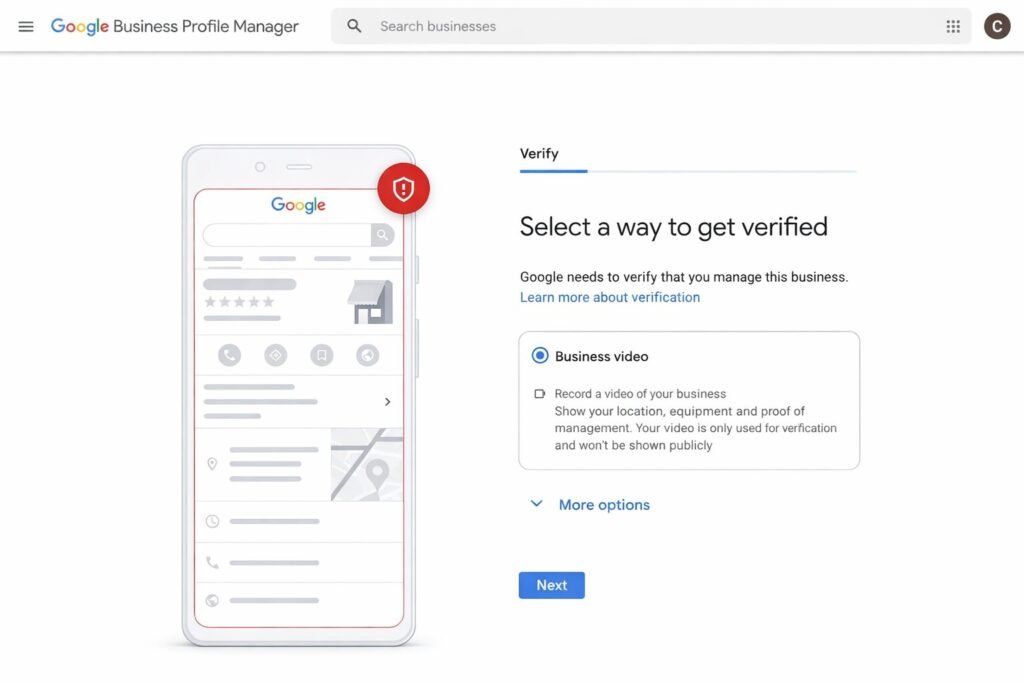
Video verification has become one of the most common methods for verifying businesses. During this process, you must record a short video proving that your business is real.
Your video should show:
- Your business location or storefront
- Business signage with the company name
- Interior workspace or equipment
- Proof that you manage the business
The video must be recorded in a single take and uploaded through the Google Business Profile dashboard. Google reviews the video to confirm that the business exists and operates at the claimed location.
2. Phone or SMS Verification
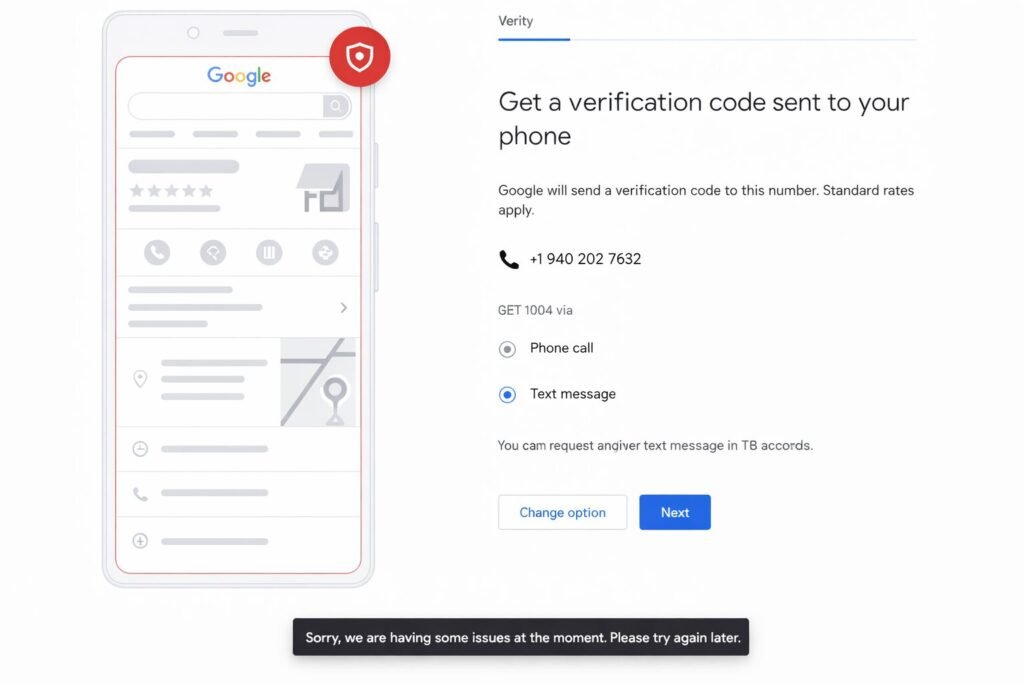
Some businesses may qualify for phone verification.
Steps usually include:
- Choose Verify by phone in your Google Business Profile dashboard
- Receive a verification code via call or SMS
- Enter the code in your profile
This method is fast and often completes within minutes, but it is not available for every business listing.
3. Email Verification
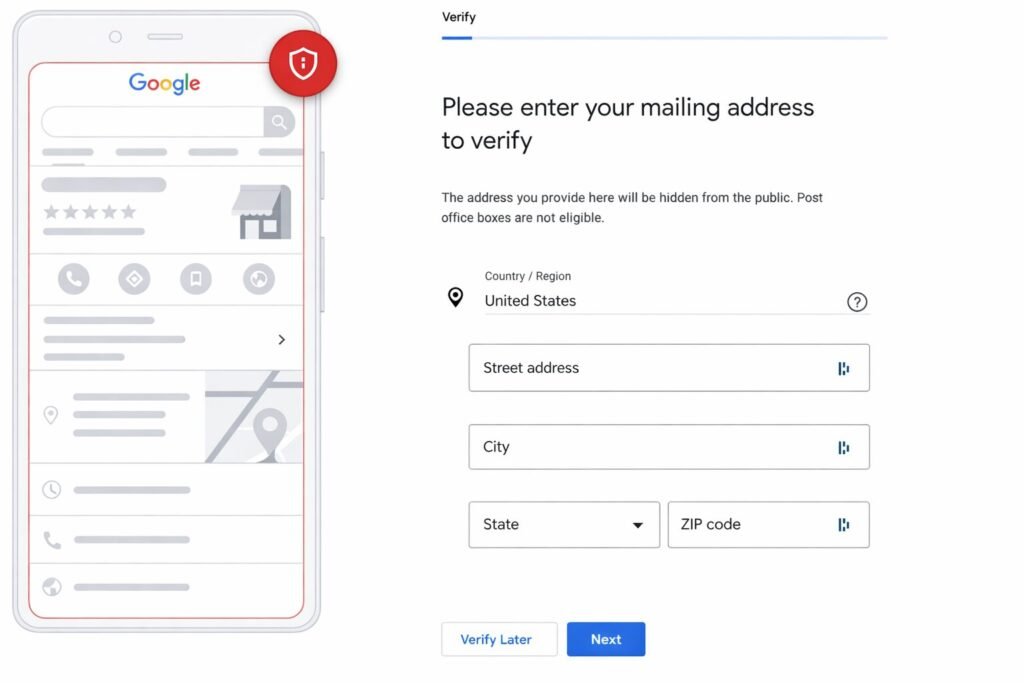
Email verification is another quick method offered to some businesses.
If Eligible:
- Select Verify by email
- Receive a verification email from Google
- Click the link or enter the code
Once completed, your business profile is verified almost instantly.
4. Postcard Verification
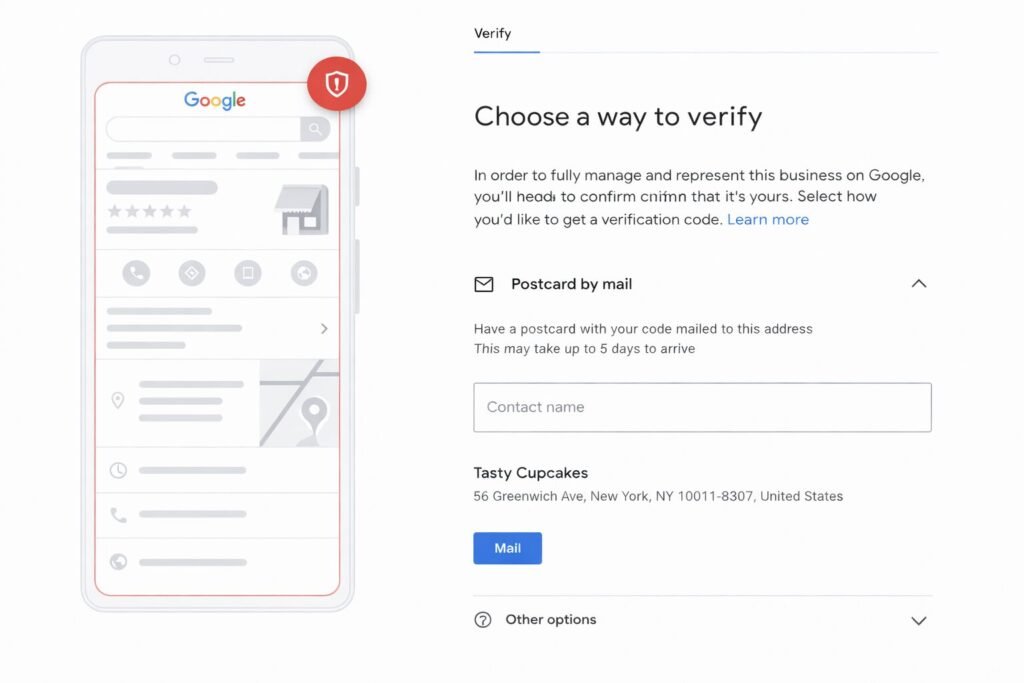
Postcard verification is the traditional method and is still used when Google needs to confirm a physical business address.
Here’s how it works:
- Request a verification postcard from your dashboard
- Google sends a postcard containing a verification code
- The postcard usually arrives within 5–14 days
- Enter the code to complete verification
It is important not to change your business information while waiting for the postcard because it may delay verification.
5. Live Video Call Verification
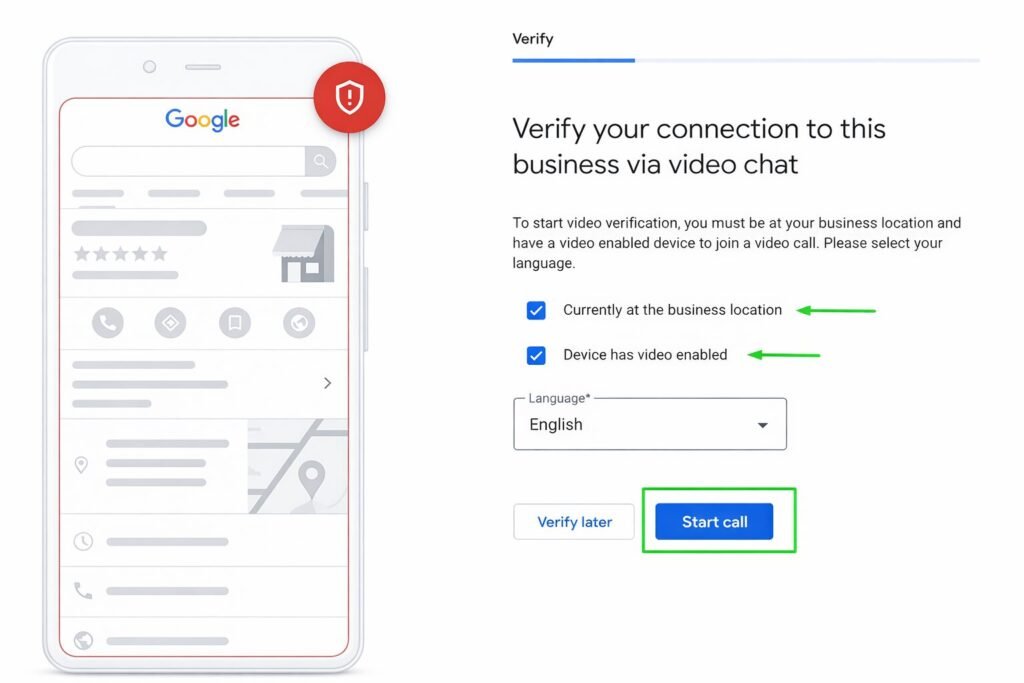
In some cases, Google may schedule a live video call with a support representative.
During the call, you may be asked to show:
- Your business location
- Signage and branding
- Business equipment or workspace
- Proof that you manage the business
This method allows Google to verify your business in real time.
Step-by-Step Guide: How to Verify Your Google Business Profile
Follow these steps to verify your Google Business Profile successfully.
Step 1: Sign in to Google Business Profile Manager
Start by signing in to the Google account that will manage your business listing.
It is recommended to use a business email account rather than a shared or personal account.
Step 2: Create or Claim Your Business Listing
Search your business name on Google. If a listing already exists, select: “Own this business?” or “Claim this business.”
If your business is not listed yet, create a new profile by entering:
- Business name
- Category
- Address or service area
- Phone number
- Website
Make sure your business details match your real-world information.
Step 3: Add Accurate Business Information
Complete your profile with accurate details such as:
- Business name
- Physical address
- Phone number
- Website URL
- Business category
- Business hours
Google cross-checks this information with other online sources to verify legitimacy.
Step 4: Click “Verify Now”
Once your profile information is complete, click the Verify Now button.
Google will show the verification methods available for your business.
Step 5: Choose a Verification Method
Select one of the available options:
- Video verification
- Phone verification
- Email verification
- Postcard verification
- Live video call
Follow the instructions provided by Google to complete the process.
Step 6: Wait for Verification Approval
Verification time depends on the method you used.
Typical timelines include:
- Phone or email verification: usually immediate
- Video verification: a few hours to several days
- Postcard verification: around 5–14 days
After approval, your business profile becomes fully active.
Common Reasons Google Business Profile Verification Gets Rejected
Sometimes verification fails due to incorrect information or missing proof.
Here are common reasons verification may be rejected.
- Incorrect Business Information : Your business name, address, or phone number does not match other online sources.
- Virtual or Fake Addresses : Google does not allow P.O. boxes or virtual offices as primary business locations.
- Poor Video Quality : If your verification video is unclear or incomplete, Google may reject it.
- Missing Business Signage : If Google cannot clearly see your business name or location in the verification process.
- Inconsistent NAP Information : Your Name, Address, and Phone number (NAP) must be consistent across your website and online directories.
Avoiding these mistakes improves your chances of successful verification.
What to Do After Your Google Business Profile Is Verified
Verification is just the first step. To get the most value from your Google Business Profile, you should optimize it.
Optimize Your Business Information
Make sure your profile includes:
- Accurate contact details
- Updated business hours
- A clear business description
This helps customers understand your services and improves search visibility.
Upload High-Quality Photos
Add photos of:
- Your storefront
- Interior workspace
- Products or services
- Team members
Profiles with photos often receive more engagement.
Collect Customer Reviews
Reviews are one of the most important ranking factors for local search. Encourage satisfied customers to leave reviews and respond to them professionally.
Post Updates Regularly
Use Google Posts to share:
- Offers
- News
- Promotions
- Events
Active profiles perform better in local search results.
Special Cases in Google Business Profile Verification
Some businesses require slightly different verification approaches.
Service-Area Businesses
Service area businesses that visit customers rather than operating a storefront can still verify their profile. They must provide proof that they operate in the claimed service area.
Home-Based Businesses
Home-based businesses can verify their profiles as long as they provide real business information and proof of operations.
Multi-Location Businesses
Businesses with 10 or more locations may qualify for bulk verification, which allows them to verify multiple locations at once.
Conclusion
Verifying your Google Business Profile in 2026 is essential for building a strong local presence. If you’re wondering how to verify my Google Business Profile in 2026, completing the verification process is the first step to making your business visible on Google.
A verified business profile helps you:
- Appear in Google Maps and local search
- Build credibility with customers
- Manage reviews and business information
- Generate more calls, visits, and leads
By following the correct verification steps and providing accurate business information, you can complete the process smoothly and start benefiting from increased local visibility. In today’s competitive digital landscape, verification is the first step toward growing your business online, especially when you understand how to verify my Google Business Profile in 2026 and apply the right strategies.
How Dizispark Can Help You
At Dizispark, we help businesses verify their Google Business Profile quickly and correctly using the latest methods in 2026. If you are wondering how to verify my Google Business Profile in 2026, our team provides expert guidance to complete the verification process smoothly and avoid common mistakes. Our services include Google Business Profile setup, verification support, profile optimization, and local SEO strategies to help your business appear in Google Maps and local search results. With Dizispark’s expertise, you can get your profile verified faster, improve local visibility, and attract more customers to your business.
FAQs About Google Business Profile Verification (2026)
1. How long does Google Business Profile verification take?
Verification time depends on the method used:
- Phone or email verification: immediate
- Video verification: a few hours to several days
- Postcard verification: around 5–14 days.
2. Can I verify my business without a physical store?
Yes. Service-area businesses can verify their listing even if customers do not visit their location.
3. Why don’t I see phone or email verification options?
Google decides which verification methods are available based on your business category, location, and online presence.
4. What should I show in video verification?
You should show:
- Your business location
- Signage with your business name
- Interior workspace
- Proof you manage the business
How to verify my Google Business Profile in 2026?
To verify my Google Business Profile in 2026, sign in to your Google Business Profile Manager, claim or create your business listing, click “Verify Now,” and choose the available verification method such as video, phone, email, or postcard. Once you complete the verification process, your business will become eligible to appear in Google Maps and local search results.